
Spotify will do just about anything to avoid doing any work that would see lossless audio added to the streaming platform. Right on cue, as though to prove our point, Spotify today announced a new update that’ll give users the ability to get some serious in-app mixing done on the fly. Okay, maybe not that serious. Still, it’s a cool addition.
These changes aren’t just building upon the app’s existing AI DJ, X, but rather about adding a new tool that’ll give users the ability to fiddle with their tunes while they’re playing them. The update is set to arrive today, but it’ll require a Premium subscription before Spotify lets you inside to play.
Getting lost in the Spotify Mix
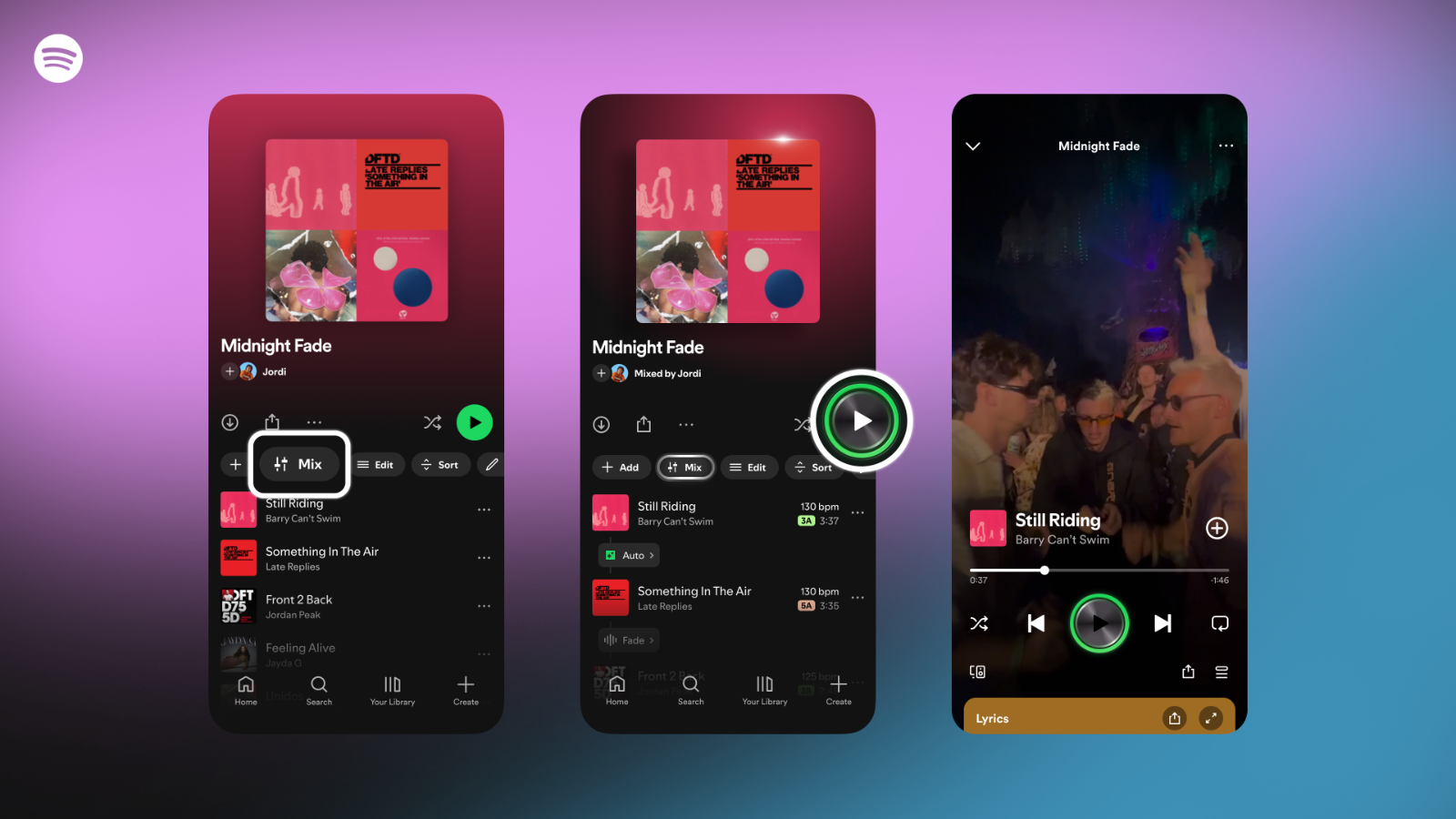
“The feature, now in beta, gives users even more control—allowing music lovers and playlist experts alike to easily create unique playlists. Seamlessly transition between tracks, customize how they flow together, and enhance your mix with features like volume, EQ, and effect curves,” Spotify wrote.
Known as ‘Mix’, with a dedicated button appearing on an active playlist’s toolbar, users can create customised transitions right into their playlist, and save them for later. Hitting ‘Mix’ will bring up an ‘Auto’ button that’ll just hand the mixing reins to Spotify, but if you’re serious about your DJ skills, you can take it a step further.
Read More: Spotify is hiking Premium prices in South Africa (again)
To do that, Spotify will hand users a bunch of info right off the bat — like a particular song’s waveform, the Camelot key, and the tempo in BPM (beats per minute) — to help make transitioning between any two songs that much simpler for mixing newbies. There are even extra dedicated buttons like ‘Fade’ and ‘Rise’ to change transition styles, alongside some simpler changes to the volume, EQ, and other effects more quickly.
Unless you’re already invested in the mixing world (Spotify’s got some handy tips if that’s you), it’ll take some practice to get right, but if you land on something you like, you can save certain transitions inside the playlist or for sharing with your mates. And if you’re sharing a playlist, the Mix tool offers up collaborative edits. Prefer some vanilla tunes down the line? That’s an option too — just toggle the ‘Mix’ feature on any playlist at will.