
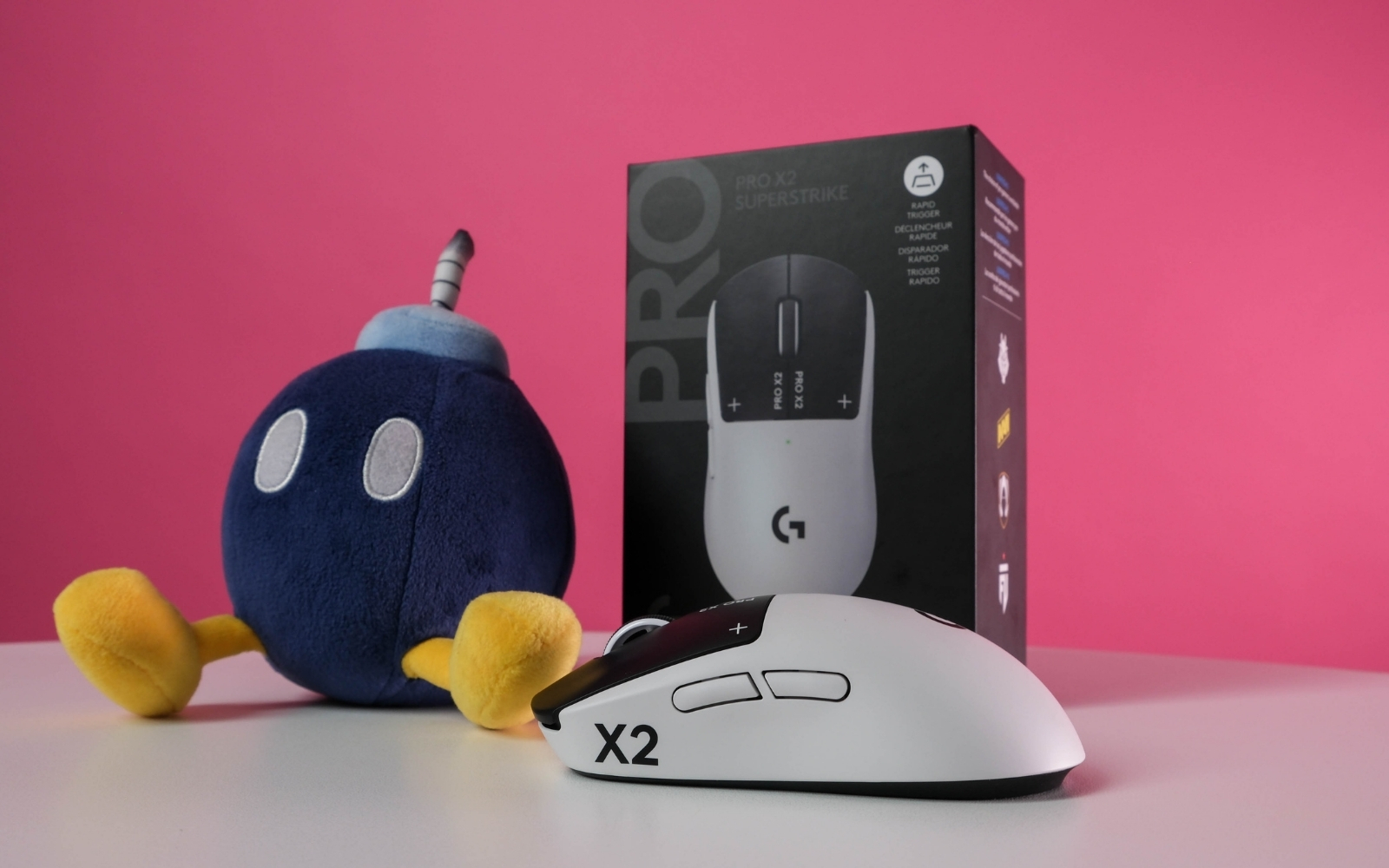
With gaming mice, personal preference is just as important as the specs (if not more), so saying 'this is the best mouse on the market' won't be true for everyone. However, saying 'this is the fastest mouse you can get' and 'it could actually improve your rank' is a lot closer to reality than you'd think. But innovative new tech doesn't come cheap. If you can stomach the cost, this is one of the easiest recommendations we've made in recent memory. But you might be better off waiting to see what else Logitech does with this tech. It might show up in a cheaper mouse before too long.
-
Design
-
Features
-
Battery
-
Value
It’s tough to remember the last time something shook up the world of gaming mice quite like Logitech’s Pro X2 Superstrike did when it launched earlier this year. On the surface, it looks like a regular ‘ol gaming mouse, almost a carbon copy of Logitech’s already famous G Pro X Superlight. But under the hood (or the triggers in this case), it boasts new technology that makes this inarguably the fastest gaming mouse available.
Mouse makers have been trying to make their clicks faster for years. Until now, this was done with improvements to click latency, or how things run in the background, which reduce the processing delay that occurs after you click. Most modern mouse makers (the ones worth paying attention to, anyway) have already got this nailed down. Logitech’s new haptic inductive trigger system (HITS) reduces the delay before you click.
“What?” and “How?” are probably your next questions.
The ‘what’ and the ‘how’
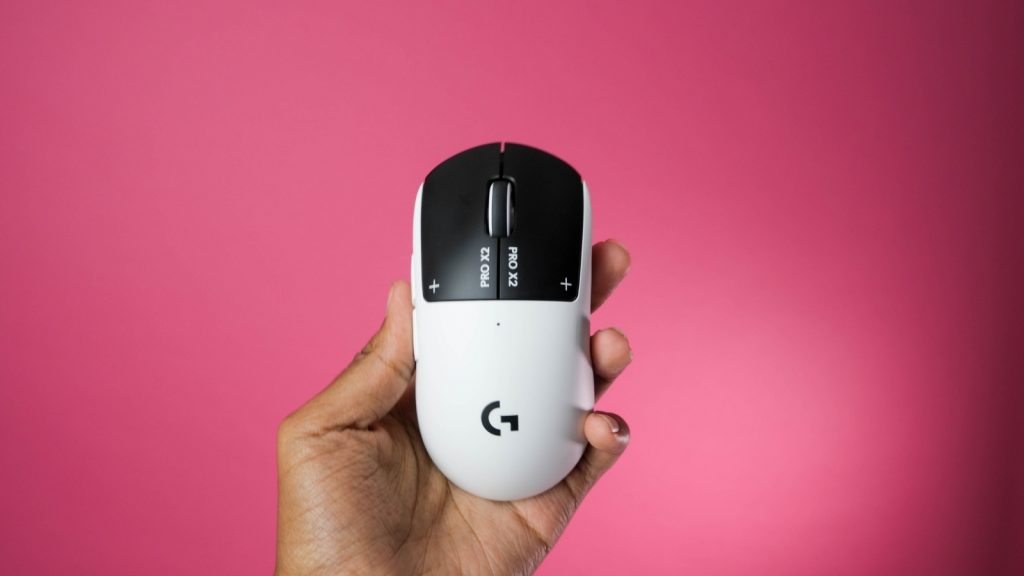
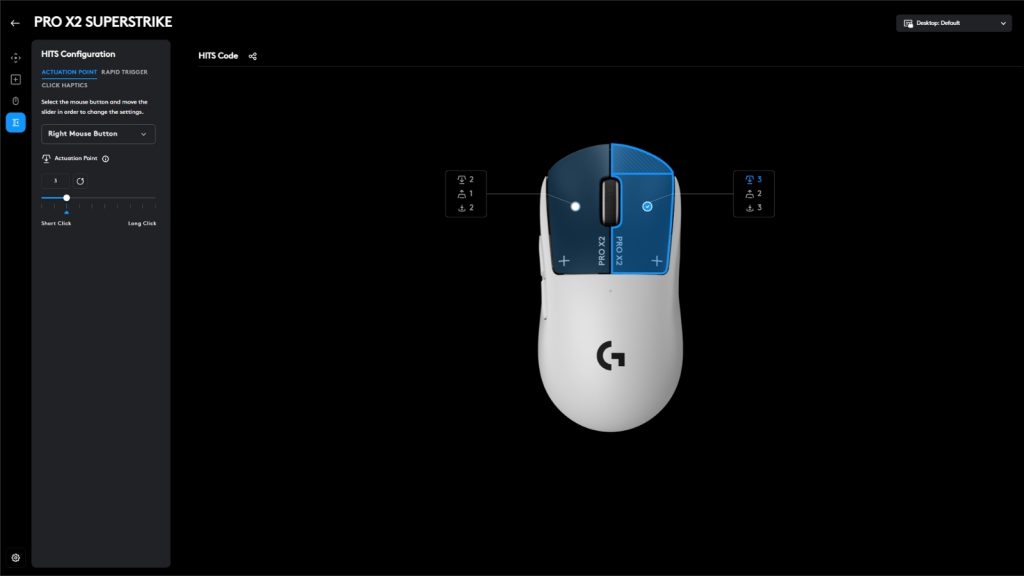
The hints are in the name. Instead of microswitches, Logitech’s system employs inductive coils and haptic motors. The inductive coil generates a signal by registering how far you’re pressing down the trigger. This also means that, for the first time on a gaming mouse, you can adjust where it ‘clicks’.
The Superstrike has ten levels available, with level 1 being the shortest click (the most sensitive), and level 10 being the longest. When your press reaches your desired level, the haptic motor steps in with a small ‘brr’ to simulate the traditional click sensation.
The classic microswitch uses a spring-loaded mechanism which produces that audible ‘click’ you hear. The Superstrike’s click is still audible if you stick it right by your ear, but you’ll feel it instead of hearing it in real-world use. Think of the small vibrations from your smartphone when you’ve set it to vibrate.
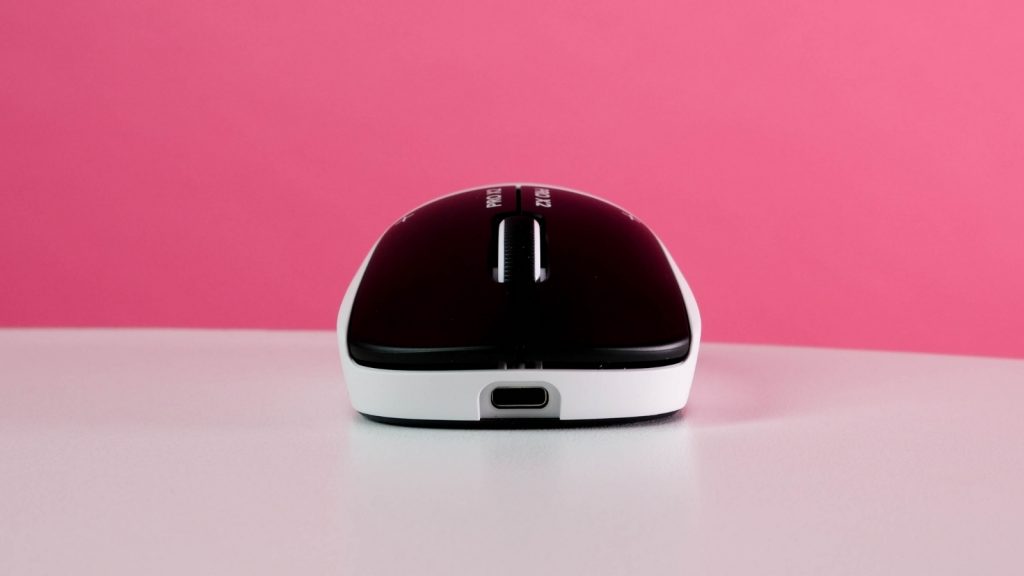
We were sceptical of this at first. The thought of vibrations this close to a sensor as precise as a mouse’s could only mean problems, right? Well, no, actually. The haptic vibrations are small, and Logi’s probably got some clever software tricks to negate them before they could ever reach the sensor.
Of course you could always switch off the haptics entirely (those too can be customised), but we tried that for all of five seconds and don’t recommend it. We found we needed some feedback to let us know our clicks were registering, or we just ended up bottoming out the click, which completely defeats the point.
The result
The new tech has resulted in a mouse that is measurably faster than anything else available… if you use it at one of the lower actuation settings. That’s easier said than done. At the lowest setting, it felt like the mouse was clicking before we’d even moved our finger, and our misclick rate shot through the roof. Not good.
After longer than we’d care to admit, we were able to find comfort at level 2. But that did involve changing how we gripped the mouse. After trying that for a while, we tried a few of the higher levels, but those just felt like playing games on European servers with a broken mouse. Ew.
Some could argue that peripherals like mice are meant to work for you and the best ones will slot right into your setup and make you better without having to do anything else. To them we say, ‘skill issue’.
The other stuff
The rest of the Pro X2 Superstrike is fairly standard for a high-end gaming mouse. It uses Logitech’s Hero 2 sensor, which boasts a tracking resolution of between 100 – 44,000 DPI (dots per inch), a maximum acceleration of 88G, and a maximum speed of 888 IPS (inches per second). All of those figures exceed what a human is capable of, so you won’t run into any shortcomings there. Also, if you use a sensitivity approaching 44,000, you should seek professional help.
When plugged in, the mouse tops out sending updates to your PC (polling rate) at 1,000Hz. Wirelessly, it is eight times faster with the included Hyperspeed dongle. That’s great if you’ve got a monster PC and don’t mind the potential hit to performance or the big hit to battery life. With the default settings, you’re likely to land close to Logitech’s claimed figure of 90 hours. With our settings dialled in (4,000Hz polling rate, 2/3 haptic setting), we were left with an estimated 39 hours of battery life. Maxing out the polling rate and haptic settings will bring the total battery life down to 20 hours.
If you’ve seen or held the G Pro X Superlight, you’ll know what to expect from the Superstrike’s shape. There’s a reason it is one of the most popular mice with esports pros, and that has a lot to do with the shape… if you’re right-handed, of course. Lefties could still technically use it, but the side buttons will probably get in the way. We’ll come back to those shortly.
The new tech hasn’t made as big of a difference to the weight and balance as we’d have thought. It’s a whole gram heavier, 61g compared to the GPX2’s 60g. The weight balance has shifted slightly to the front, but you may not notice that depending on your grip. We didn’t with our hybrid palm/claw grip. With the professional leanings of this mouse, you won’t find any RGB illumination, save for the tiny LED dot on top to indicate battery level.
If you’ve already got Logitech’s wireless charging mouse pad on your desk, you’ll be happy to know that you also get a PowerPlay puck in the box with your X2 Superstrike. It will replace the stock puck that hides the USB dongle caddy underneath the mouse.
The opposite of sunshine and rainbows
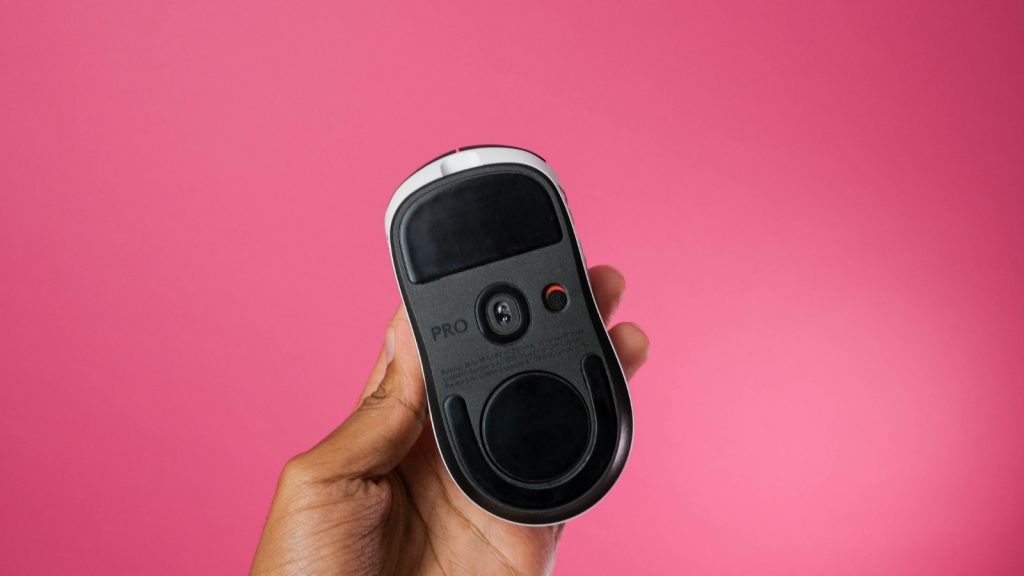
The smooth finish of the plastic could make gripping with sweaty palms difficult, so we love that Logitech included grip tape in the box. On the other hand, we’re thankful it didn’t include any extra skates, so you only have one set to throw away.
We’ve heard the stock skates play well on glass mouse pads (although we didn’t get to try this as our pads arrived after the mouse had gone back), and we assume you’d get better results on Logitech’s own G640 mouse pad (that’s the one Logi says it tested the Superstrike on). If you don’t mind the extra effort, third-party skates, such as these EspTiger skates from Cookie Atom, could go a long way to making the Superstrike feel like the best mouse ever created.
Then we come to the side buttons. These are the turd on the lawn of what would otherwise be a near-perfect garden. They’re the same mushy mess that you’ll find on the G Pro X Superlight 2. We’re being hyperbolic on purpose because there aren’t many things to criticise with the Superstrike, so the mushy side buttons made us irrationally angry compared to how good the rest of the mouse is.
We’ve heard some people don’t mind mushy side buttons; you might be one of them. They were not our favourite. That said, if Logitech sent the Superstrike back, we’d switch to it as our main mouse in a heartbeat, despite the mushy side buttons and dull skates.
The other thing some gamers might not be too keen on is the Superstrike’s reliance on Logitech’s companion software. Installing and having G Hub running constantly in the background is pretty much a necessity if you want to get the best from this mouse. It shouldn’t be too much of a strain if you’ve got a semi-modern PC, and for what you get, it’s worth it.
This is where you’ll adjust settings or create and manage profiles. We also liked how it visualises your trigger presses to make the generic 1 – 10 scale for the variable actuation point more meaningful. Each of the actuation points, rapid trigger, and click haptic settings can be adjusted for both trigger buttons together or set individually.
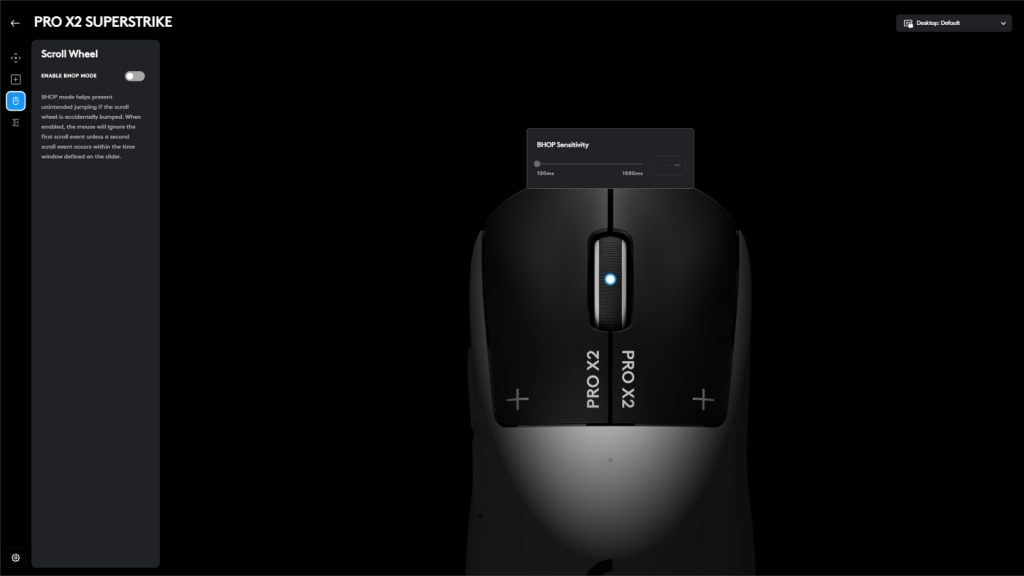
There’s also what Logitech calls BHOP mode. Enabling this will “prevent unintended jumping” if the scroll wheel is accidentally bumped. For those out of the loop, in Counter-Strike 2 it is common to bind ‘jump’ to the scroll wheel to make ‘bunny hopping’, or stringing rapid consecutive jumps together, easier. We also like that you have the option to export your settings or import the settings of others. Saving your settings to the mouse would’ve also been nice.
Logitech Pro X2 Superstrike verdict
Despite the disappointing skates and mushy side buttons, we have no issues giving the Logitech Pro X2 Superstrike a solid recommendation to anyone interested in playing competitively. That doesn’t have to mean you’re trying to start your esports career. Just wanting to be better than the folks you meet online can be enough reason to get the Superstrike.
You’ll need to be prepared to pay, however. This is genuine innovation from Logitech, and that doesn’t come cheap. At R3,500, it isn’t the most expensive mouse on the market, but it ain’t cheap either.
If your budget is tight, you might want to hold off to see what Logitech cooks up next. Word on the street is we could see another mouse with this tech launch before the year is out. That may or may not be true, but we can’t see Logitech sleeping on this tech. Whether it shows up in the Superstrike 2 or in another budget-friendly Logitech mouse, we probably won’t have to wait too long.