On the heels of its X300 series launch, Vivo has officially announced that OriginOS 6, its take on Android 16, will be shipping to global markets. The new X300 devices support the updated OS out of the box, but it will roll out to older devices in the coming months.
Before you get too excited, the new OS probably won’t ship to every Vivo device. It’s more likely that only upper mid-range and flagship devices will be eligible for the update, like the pricey X200 Pro launched at the start of this year.
Still, it’s a welcome change from the outdated Fun Touch OS, even with the close resemblance to Apple’s new iOS 26.
Major OriginOS design changes
“As we celebrate vivo’s 30th anniversary, we are taking the next step with the global debut of OriginOS. Guided by our ‘Origin Design’ philosophy and built on three core pillars of smoothness, design and AI, the brand new OriginOS 6 reimagines the way people connect with the digital world,” said SHI Yujian, Senior Vice President and Chief Technology Officer at vivo.
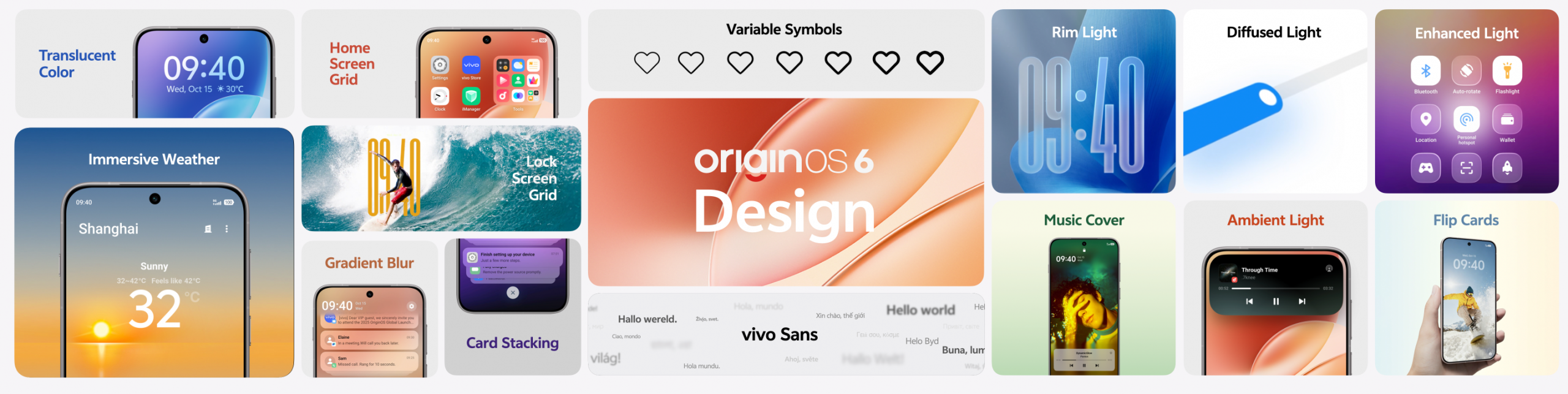
The biggest visual change would be OriginOS’s “spatial and layered” design philosophy. The lock screen clock hiding behind wallpaper elements, the translucent effects of UI elements and how they react to light, and the soft blurring as elements move to the background are just some of the ways that OriginOS resembles iOS 26. Vivo’s ‘Origin Island’ is another.
There’s also a new font — vivo Sans — for those who care, and Vivo said it has redesigned its symbols to be variable.
One genuinely new feature we’ve yet to see elsewhere is Vivo’s Flip Cards, which allows you to flick (or flip, don’t be pedantic) through images on your lock screen. They can be customised with effects too, like a lenticular 3D effect that transitions between images as you tilt your phone left and right.
Smooth operation
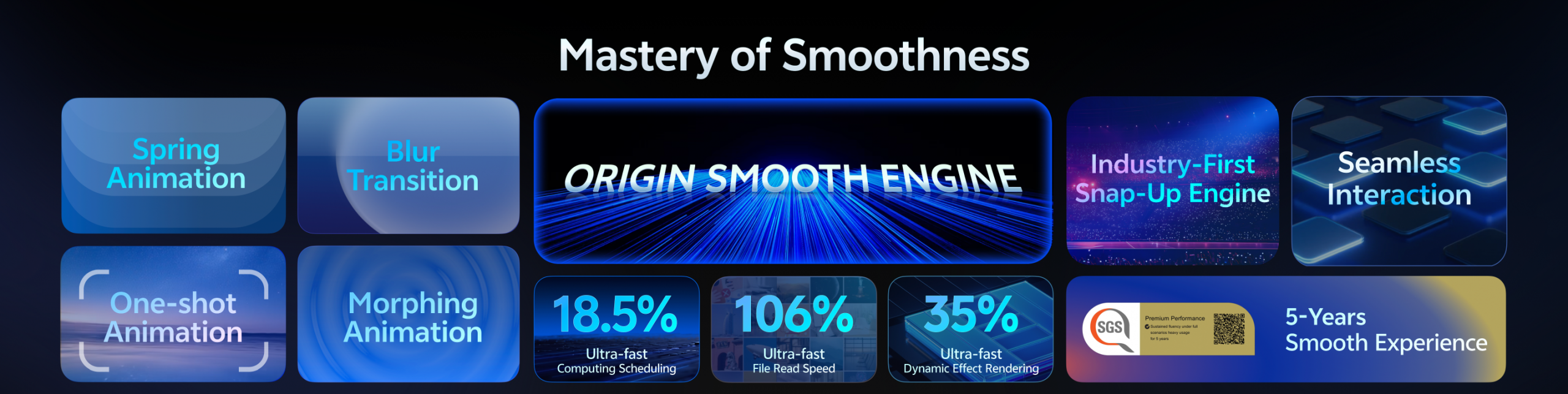 Vivo hasn’t just focused on design changes with OriginOS 6; it has updated the underlying functionality of how it works in the background to deliver a smooth user experience for five years, even under heavy usage scenarios. And it’s got an SGS certification to back it up.
Vivo claims some of these optimisations can deliver results that users might even feel, like app cold starts being 18.5% faster or the 106% speed boost when opening photo albums that contain thousands of photos.
It also showed a party trick of quickly switching between two apps that, when performed successfully, show how the animations remain consistently smooth. Why you’d ever want or need to do that in real-world use is beyond us, but rather have the option than not, we guess.
Another improvement that you might not notice right away is with animations. Thanks to its ‘Spring Animation method’, animations inherit the velocity of your gesture and simulate real-world physics. Whether you’ll notice this as you pull down the notification shade, rearrange apps on your home screen, or plug your phone in to charge depends on a) how closely you look and b) how much you care.
Vivo AI
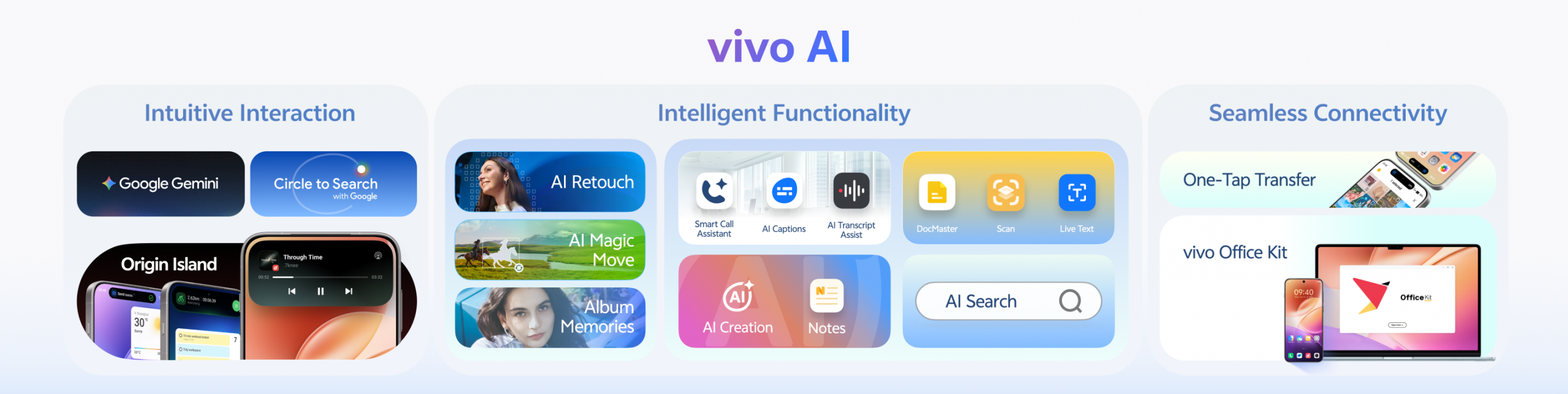 Then there’s the inescapable AI. Vivo’s inclusion is not as egregious as others, with AI Erase, AI Image Expander, and AI Photo Enhance all rolled into the singularly named AI Retouch. You’ll also find the usual AI features — think writing, summarisation, and translation — scattered around. But some will require an internet connection. Boo.
But, also thanks to AI (somehow), is Office Kit — Vivo’s PC and Mac integration. This enables features like mirroring your smartphone’s display on your computer, file transfers, and note-taking.
There’s no mention of an exact launch date for OriginOS 6 in South Africa. We know it will first launch with the X300 series, which is supposed to be in January or February next year, but there’s no solid date for that just yet. Following that, it should arrive on the X200 Pro and possibly more Vivo devices down the road.