

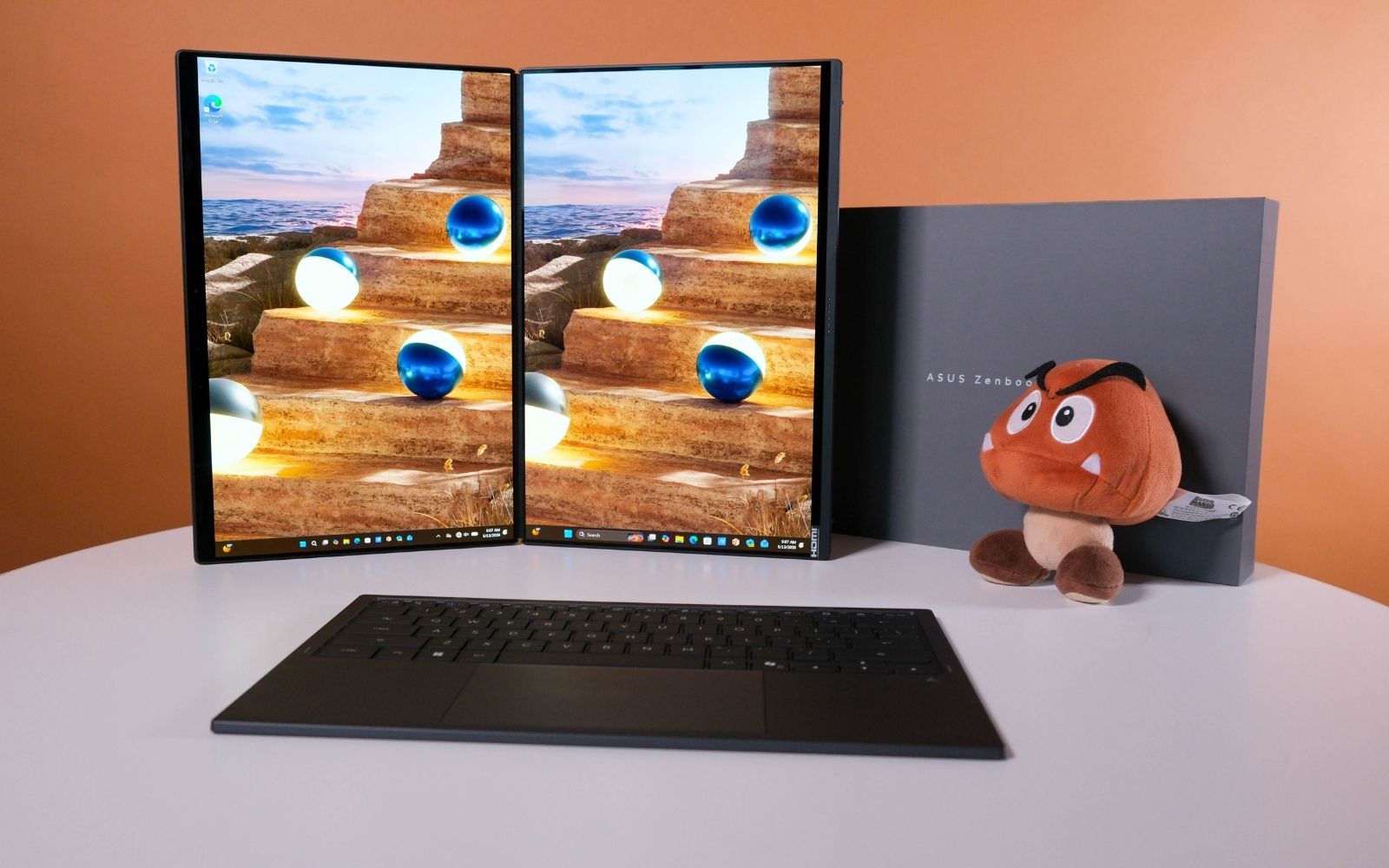
The Asus ZenBook Duo takes the crown for the best dual-screen laptop currently available. Partly because it's the only one we've tested recently, but also because it's simply a beast. Those 14in OLED screens are a treat to behold, the new Intel chip offers huge performance, and battery life has seen improvements, too. There's a lot to love... if you can stomach the price.
-
Design
-
Display
-
Performance
-
Features
-
Value
We got our first in-person look at the new ZenBook Duo back in February, after it was shown off at CES this year. It impressed us immediately. We expected another boring, slightly updated iteration on the last one, with nothing but slightly faster silicon inside. We were happy to be proved wrong.
Asus has not only paid generous attention to the dual 14in displays and how they fit together, but it has also managed to provide significant improvements to performance and battery life over the last one thanks to the new Intel Panther Lake chip inside.
You can’t have the good without the bad — all these improvements don’t come cheap. At R65,000, there are plenty of cheaper options that boast similar performance… we assume. We can only review what’s sent to us, and so far, the 2026 ZenBook Duo has been among the best, short of the desktop replacements.
Good looking
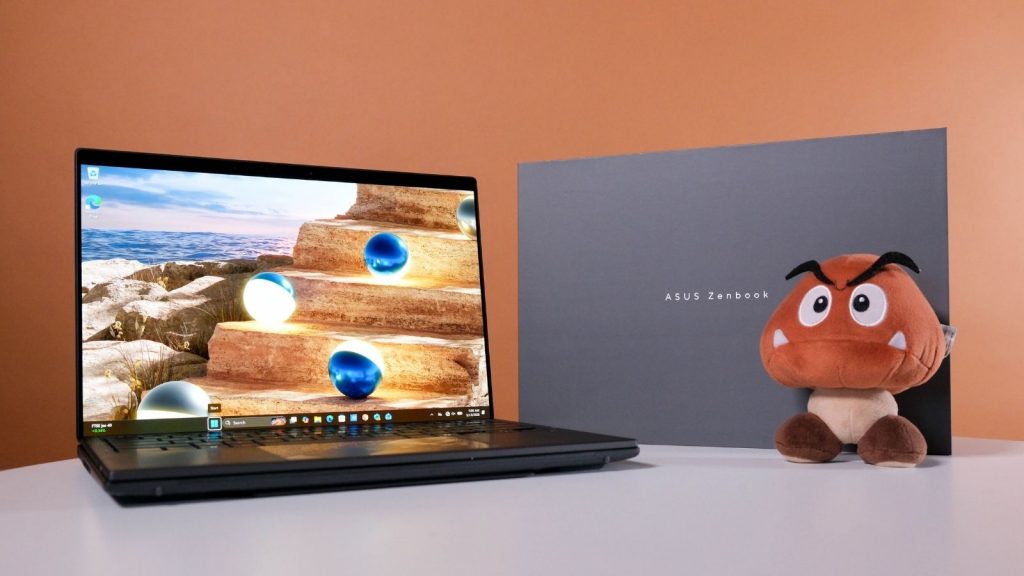
Like others in the ZenBook range, the ZenBook Duo arrived dressed in the company’s Ceraluminum. While it might resemble a fancy countertop or cutting board, we’ve grown to like the soft-touch finish.
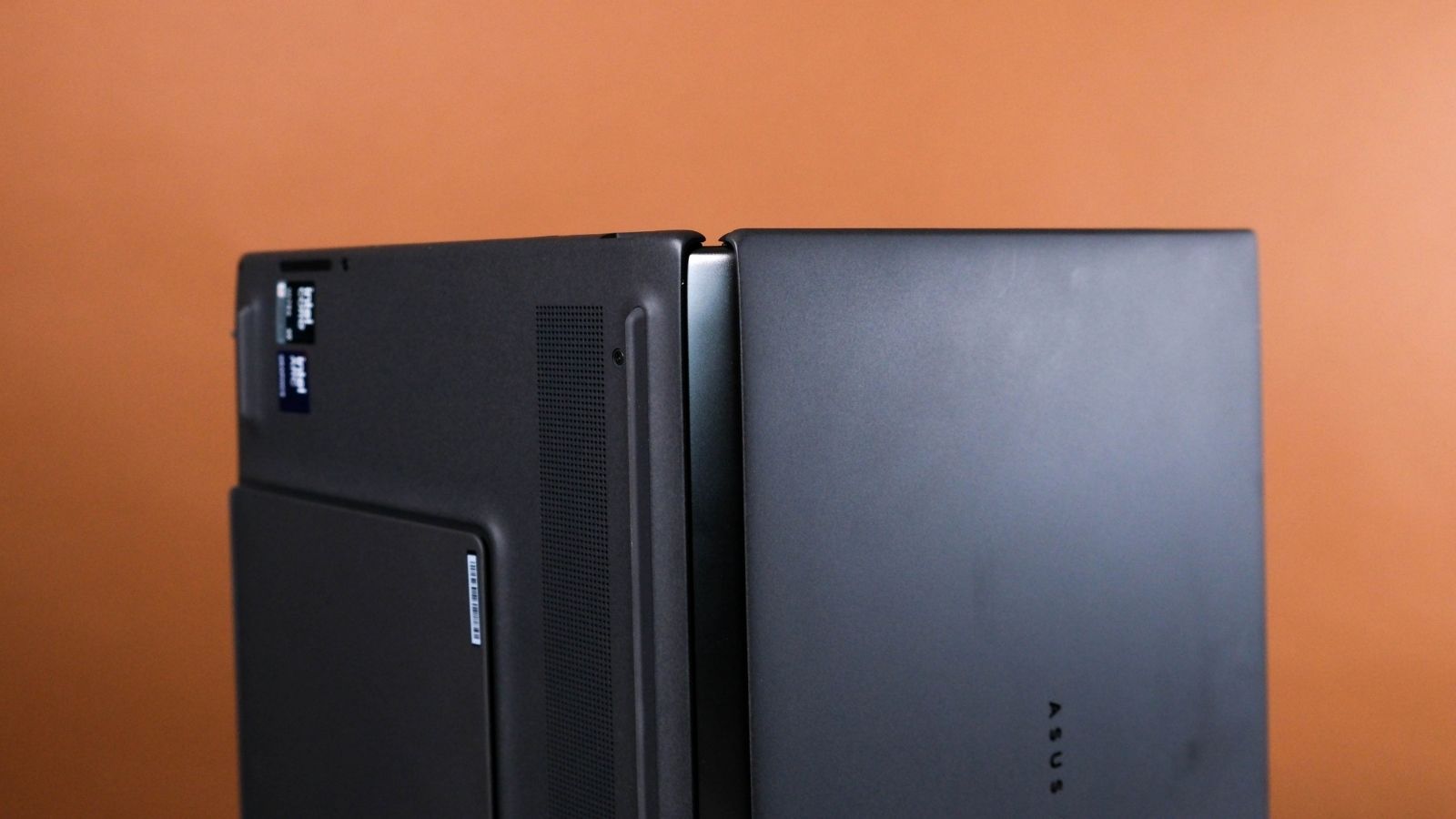
The next thing you’ll notice is the bulge. Instead of bolting two obviously separate displays together, Asus have redesigned the hinge. It now resembles the hinges of early folding smartphones; think Galaxy Fold 3.
Sure, the gap is much wider with the ZenBook Duo than the Fold 3, but that’s because the Duo has a whole detachable wireless keyboard as the meat in its sandwich. Said keyboard has also seen some improvements, chiefly to the typing experience, now with 1.7mm of key travel. It also lasts longer, with a claimed 11 hours of undocked use with the backlight on, and up to 50 hours with no backlight.
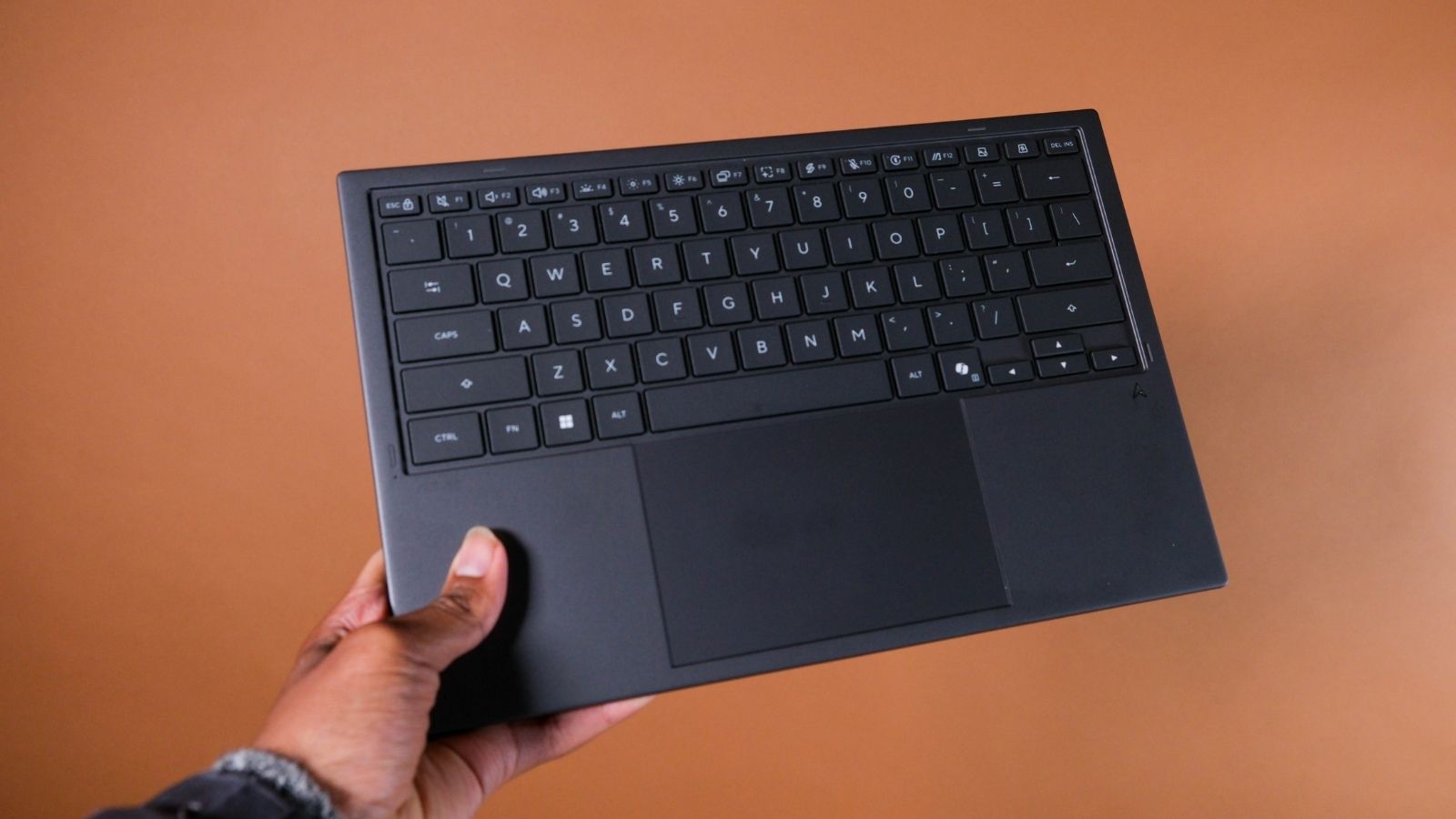
The touchpad also lives on the detachable keyboard. It’s bigger this time and supports gestures with one, two, three, or even four fingers.
This means the gap between the screens when open has been reduced, but also that the whole package is a little thicker when folded up. It’s also slightly lighter than the previous job, but still kinda heavy at 1.7kg compared to other single-display 14in laptops.
The dual screens and redesigned hinge mean using the ZenBook Duo in any of its many possible orientations is smoother than ever. Stick to one screen with the keyboard over the other. Ditch the keyboard and type on the bottom screen. Detach the keyboard, flip out the kickstand, and use both screens as separate top and bottom screens or one long one. Flip the screens around and have them side-by-side, separate or as one. Or lay the screens flat and work co-operatively with someone you don’t hate.
Looking good
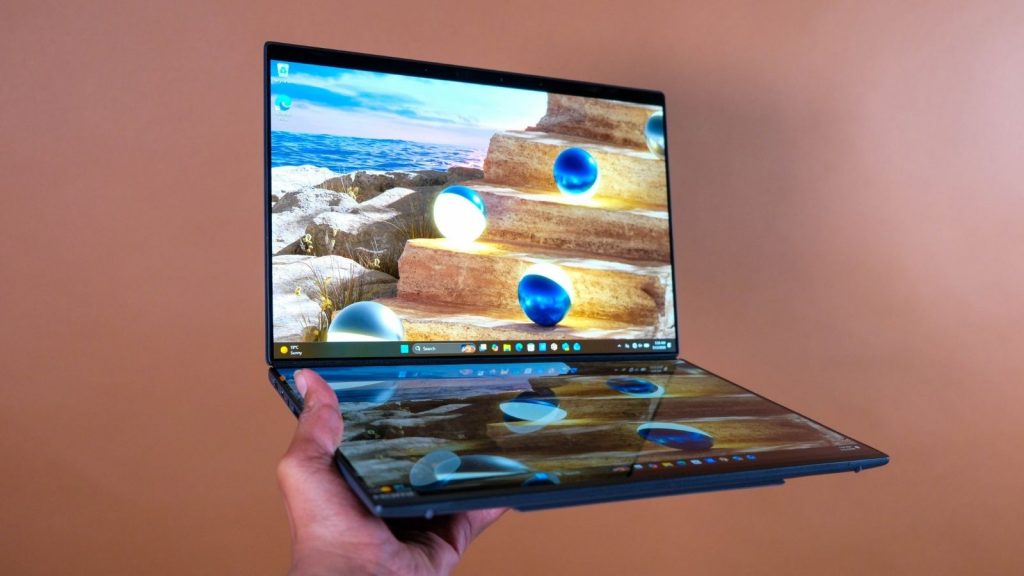
The pair of 14in 2,880 x 1,800px OLED displays was always going to be good. Considering the emphasis on the displays, it would be a pretty rubbish laptop if they weren’t. On paper, they tick a lot of boxes that anyone who values their eyes will appreciate, especially if you spend your day staring at screens. Designers will likely get the most mileage with the accurate colour profiles, Pantone validation, and VESA DisplayHDR True Black 1000 certification.
The screens also get noticeably brighter than the last ZenBook Duo. Asus claims up to 1,000 nits, and that VESA certification means it’s telling the truth. To earn that, the displays have to tick three boxes:
- Achieve at least 1,000 nits on a 10% window pattern
- Maintain at least 500 nits on a 100% full-screen white pattern
- Deliver sub-0.0005 nit black levels
Tick, tick, tick.
In practice, we found the screens kept to their promise and provided a great viewing experience. They also boast a variable 144Hz refresh rate and lightning-fast response time, which bodes well for gaming performance, and come with a decent anti-reflective coating. While we generally prefer our OLEDs with a glossy finish, the anti-reflective coating adds to the Duo’s already versatile resume.
Dynamite performance
Intel’s new Panther Lake chip does all the heavy lifting here. Our review unit came with the fastest one of the lot — the Core Ultra X9 388H. It was joined by 32GB onboard LPDDR5X memory and a 1TB M.2 2280 SSD — quick shout-out to the Asus employee who made sure to include the separate maintenance panel in the back to make swapping the SSD easy.
As usual, there are a few performance profiles available. And, as usual, we stuck to the ‘Performance’ profile for our testing.
Across both synthetic and real-world tests, we found the CPU and GPU performance to be fairly constant under load. The efficiency improvements Intel made to this chip are obvious, as it can reach similar scores to the previous generation while using significantly less power. That means you can have the same performance as last year’s for longer, or slightly better performance over the same timeframe.
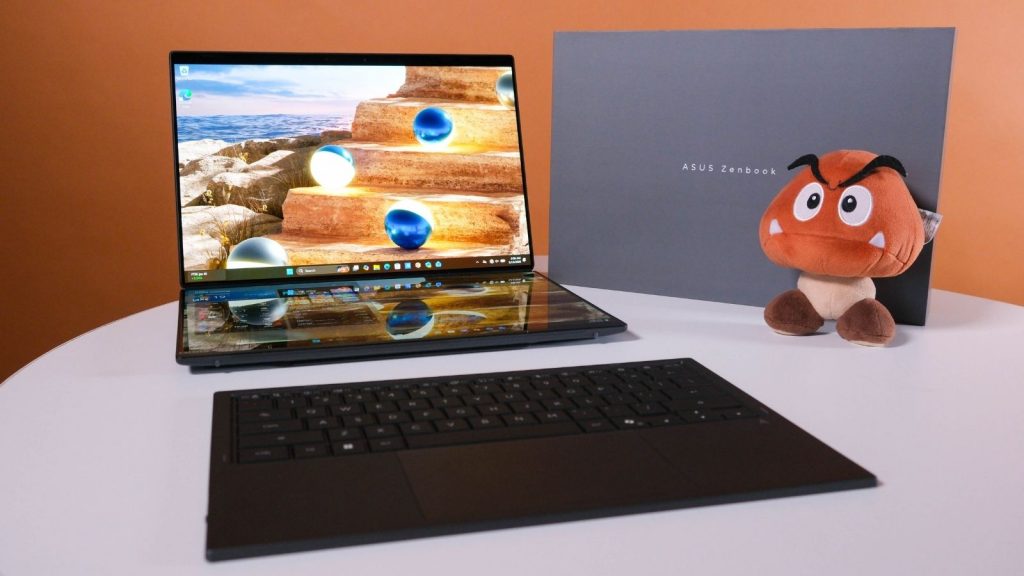
There isn’t much you can give the ZenBook Duo that it won’t immediately chew through. We were particularly impressed with its gaming performance. The ‘X’ in Core Ultra X9 388H means you’re getting Intel’s best integrated graphics. AMD has long held a strong lead over Intel when it came to integrated graphics, but this chip manages to land a few punches while being significantly more efficient than AMD’s best (for reference, that’s the Ryzen AI Max+ Pro 395).
As long as you’re okay with a combination of lower resolution settings, some upscaling tech, and avoiding heavy ray tracing settings, the ZenBook Duo has the means to impress for a laptop this versatile.
Long-lasting juice
As we alluded to earlier, battery life has also seen a major improvement over the last generation. For one, there’s a bigger battery — 99Wh split in two. As always, your mileage will vary depending on how you use it away from the plug. With both screens at half brightness and their refresh rate set to 60Hz, we comfortably managed a full working day of furious typing, video streaming, light image editing, and many, many open tabs.
Asus ZenBook Duo 2026 verdict
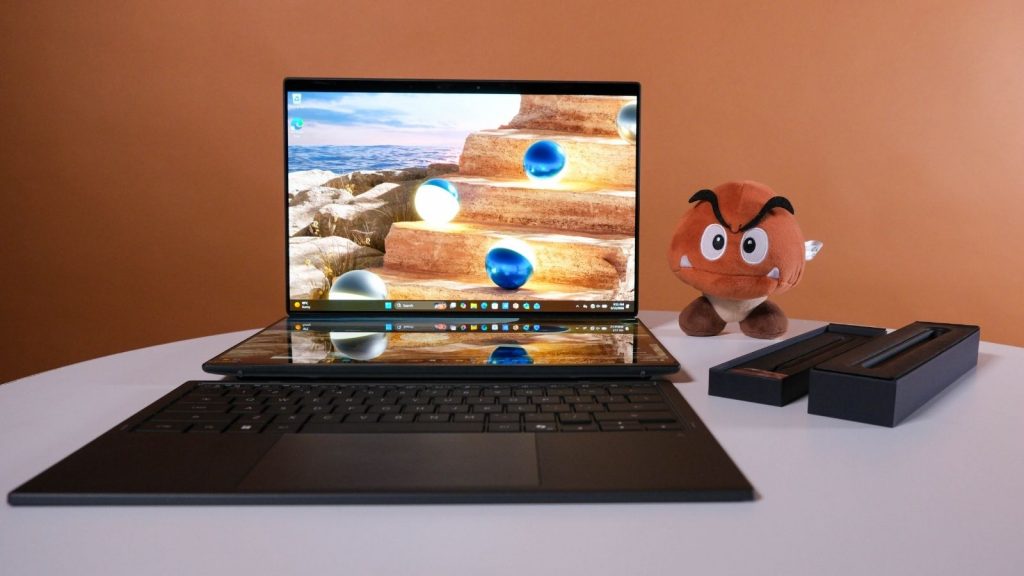
The Asus ZenBook Duo isn’t going to be for everyone. Not just because it costs the same as a cheap second-hand car. The benefit of having two displays in one laptop, and the ability to orient it in several different ways, is going to be lost on someone who wants to spend most of their time gaming.
But if you’re the type who wishes you could do more with the standard laptop format, the ZenBook Duo is definitely worth considering.
We also like that Asus is trying to sweeten the deal by including the latest Asus Pen with a wireless charging cradle and a protective sleeve in the package. It makes the R65,000 price sting a little less.




1 Comment
I thought Asus’ Duo was cool until I read about and saw YouTube reviews of Huawei’s Fold, an 18″ foldable laptop. Apparently only available in China for yuan equivalent USD $3,700, about R60K. Compare Duo’s price R65K for the top-tier model.
Asus and Apple can’t compare.