
Last year, WhatsApp began experimenting with ‘guest chats‘ on Android, and now it’s iOS’ turn at bat. What’s the point of guest chats? We can’t help you there, but we can tell you how they work before they inevitably turn up on your device, the feature having just landed inside Apple’s walled garden. For beta testers, anyway.
Guest chats are for folks who somehow don’t have a WhatsApp account yet. Perhaps they’re American? Maybe they use iMessage exclusively. Either way, guest chats are exactly that — a chat built inside the WhatsApp framework, and accessible to third parties who don’t have the app or an account to sign in with.
WhatsApp’s guest of honour
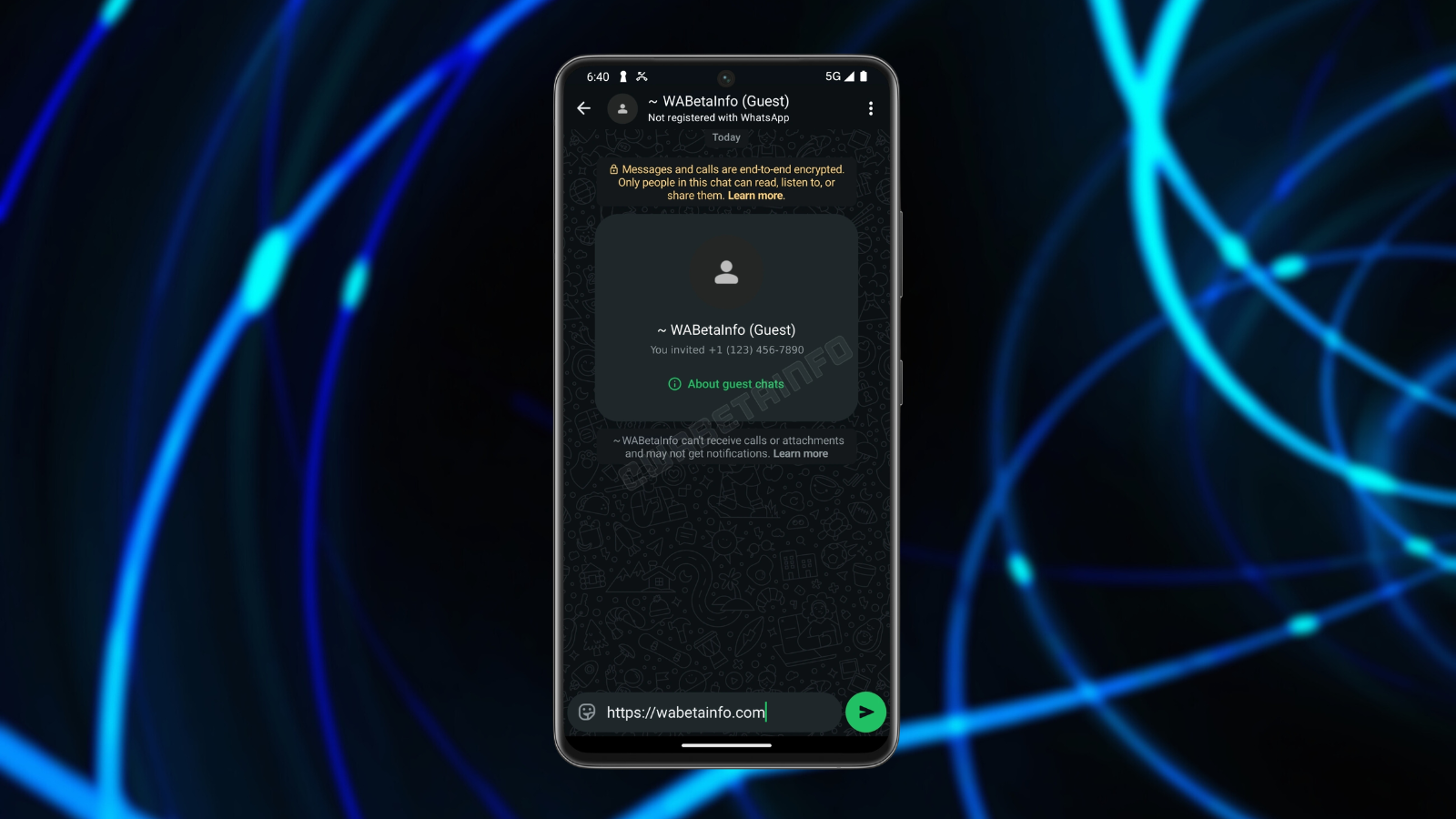
Generating a guest chat requires at least one party to have a WhatsApp account. The inviter must visit the “Invite a friend” section or travel to the bottom of their contact list. Create the chat, and they’ll be sent a link via SMS, email, or Telegram. Any messaging service that isn’t WhatsApp, essentially. Why are we doing this on WhatsApp again?
Whatever. Now that the guest chat exists, clicking the invite link will redirect the receiver to their browser, where they can either download the app or continue as a guest. Doing so opens WhatsApp Web, regardless of whether you’re on desktop or mobile. Don’t worry. WhatsApp reckons the chat is still end-to-end encrypted.
Read More: Meta launches AI-powered anti-scam tools for WhatsApp, Facebook, and Messenger
Despite being temporary, the recipient is still expected to load their name into the system. This can be a pseudonym or your real name — as long as the inviter can recognise it. From there, the guest must initiate the conversion.
Group chats aren’t supported (yet anyway), and attachments (photos, videos, documents, and GIFs) cannot be sent. Guest chats will automatically expire after ten days of inactivity, forcing the user to send another invite link. Guests won’t receive notifications, so they’ll have to check the tab manually. At the time of writing, WhatsApp hasn’t stated when the feature will roll out globally.