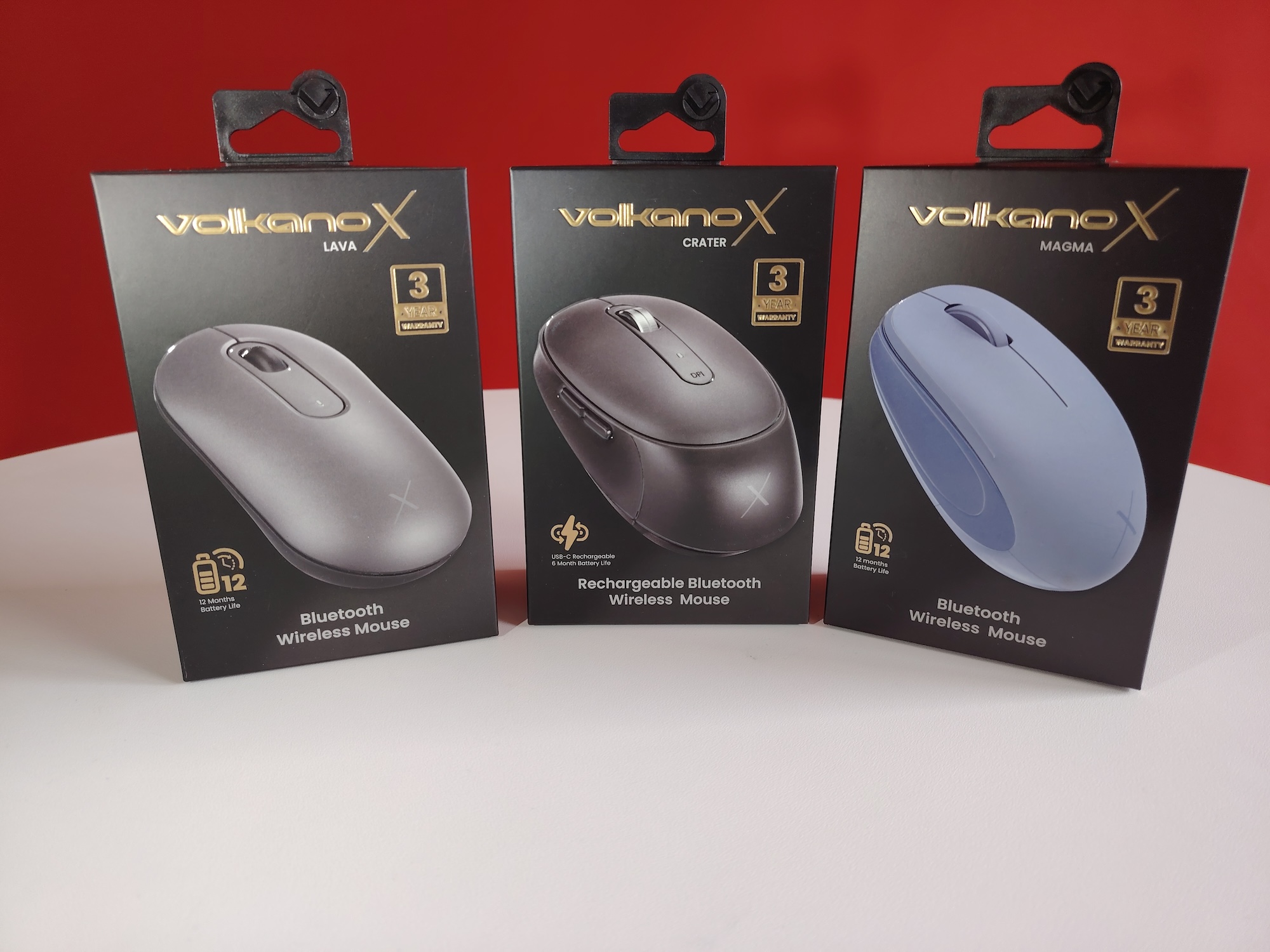
If you’re using a laptop, at some point you’ll need a computer mouse. At some point. Volkano X, SA’s purveyor of budget peripherals and gadgets, has at least three for you to check out that’ll sit below a R350 price point. The lowest price is a mere R200, which is nearly nothing when it comes to (functional) computing hardware.
Of this trio — the Magma, Lava, and Crafter — one stands above the others, purely because it doesn’t take batteries. It also looks pricier than it actually is, though all three do well enough in terms of build. Particularly for the price, though we wouldn’t suggest going into a purchase expecting loads of weight under your palm. Lightweight is the name of the game, with the Magma being the lightest of all.
Magma
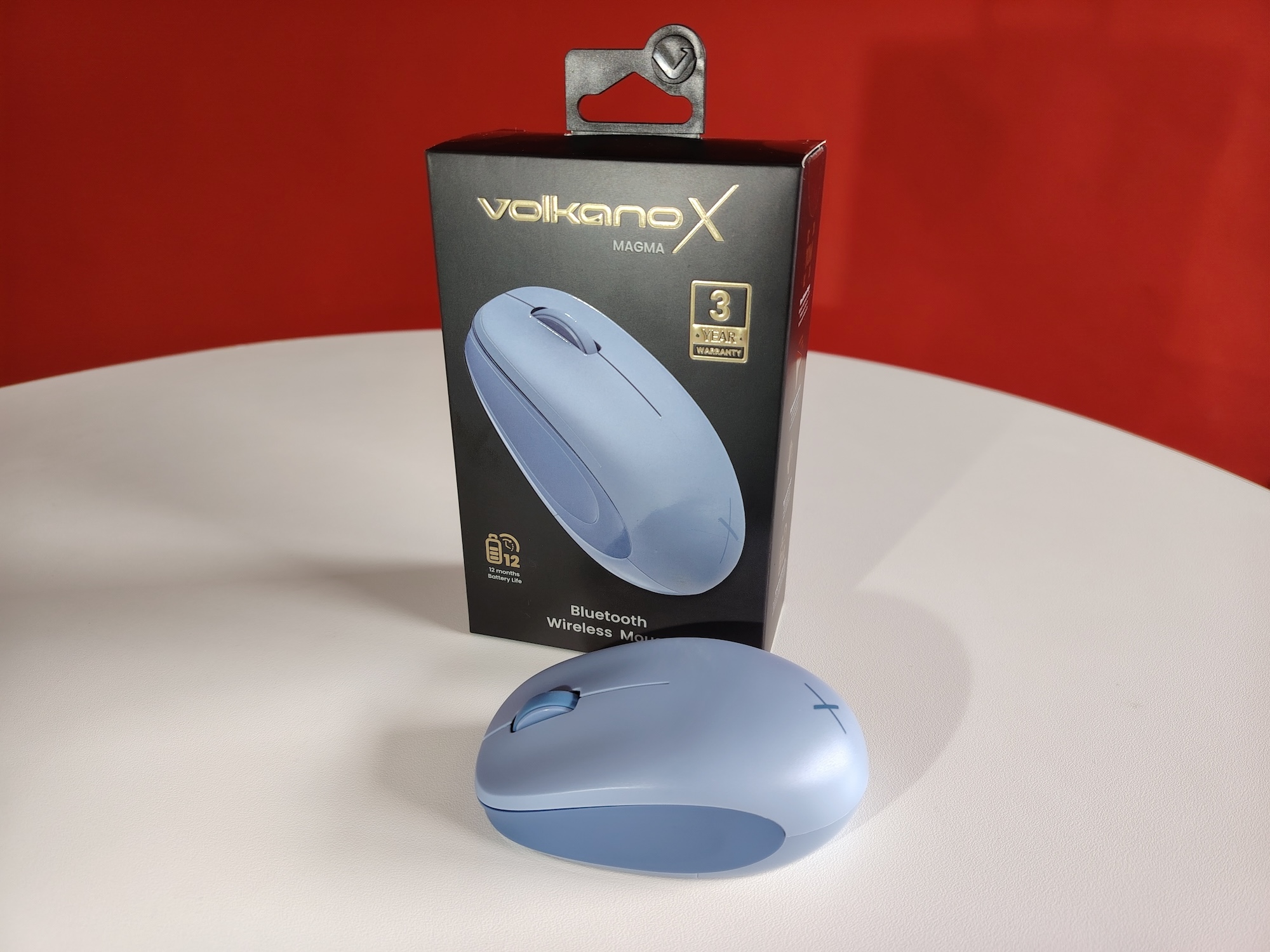
You’ll notice plenty in common between these three budget computer mice, at least as far as box contents go. There’s just the mouse, a bit of cardboard padding, and in the case of the Magma and Lava, a single battery. Volkano X reckons that’s all you’ll need for a year’s worth of clicking, but they’ve obviously never opened loot boxes for sixteen hours straight. That said, it’ll take some doing to run the battery down, and you may get a little more (or less) than the advertised lifespan.
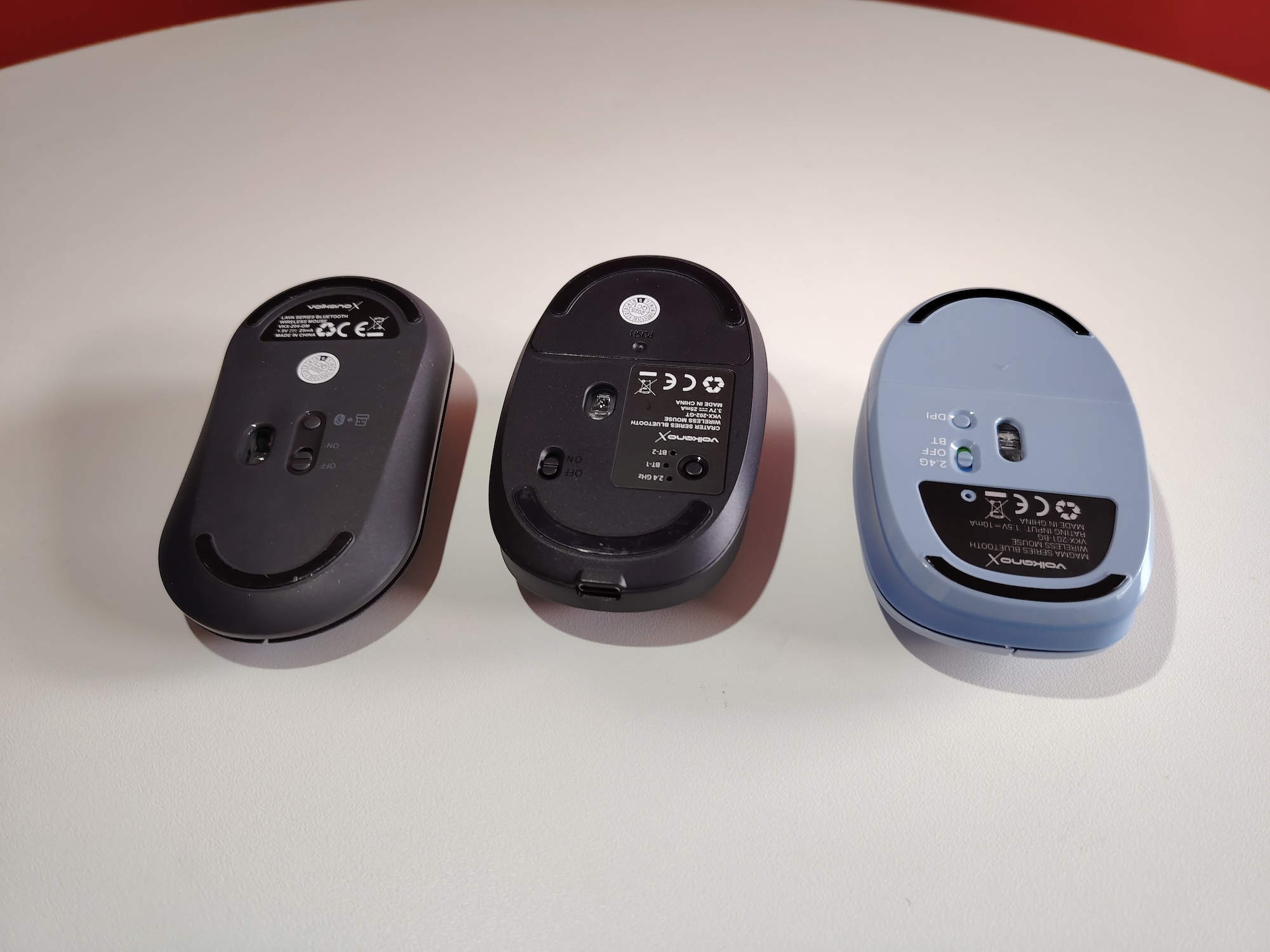
Though it’s the cheapest of the lot at R200, there’s a touch of bulk to go along with the adjustable DPI — it’ll swap between 800, 1200, and 1600 if you take the time to flip it over and prod the little button on its base. Bluetooth is its main form of connection, but the battery case conceals a USB-A dongle if you’re rocking older hardware and need to switch over to 2.4GHz wireless instead. A toggle at the base that also acts as the power switch lets you swap between the two.
The two mouse buttons are clicky enough without being obnoxious, while there’s enough tension in the scroll wheel for most to feel comfortable. It doesn’t feel even slightly crushable, though you could smash it to death if you were determined. Don’t do that. As an everyday office device, it’s a decent candidate, though we’d eschew games unless you’re on a seriously limited budget.
Lava
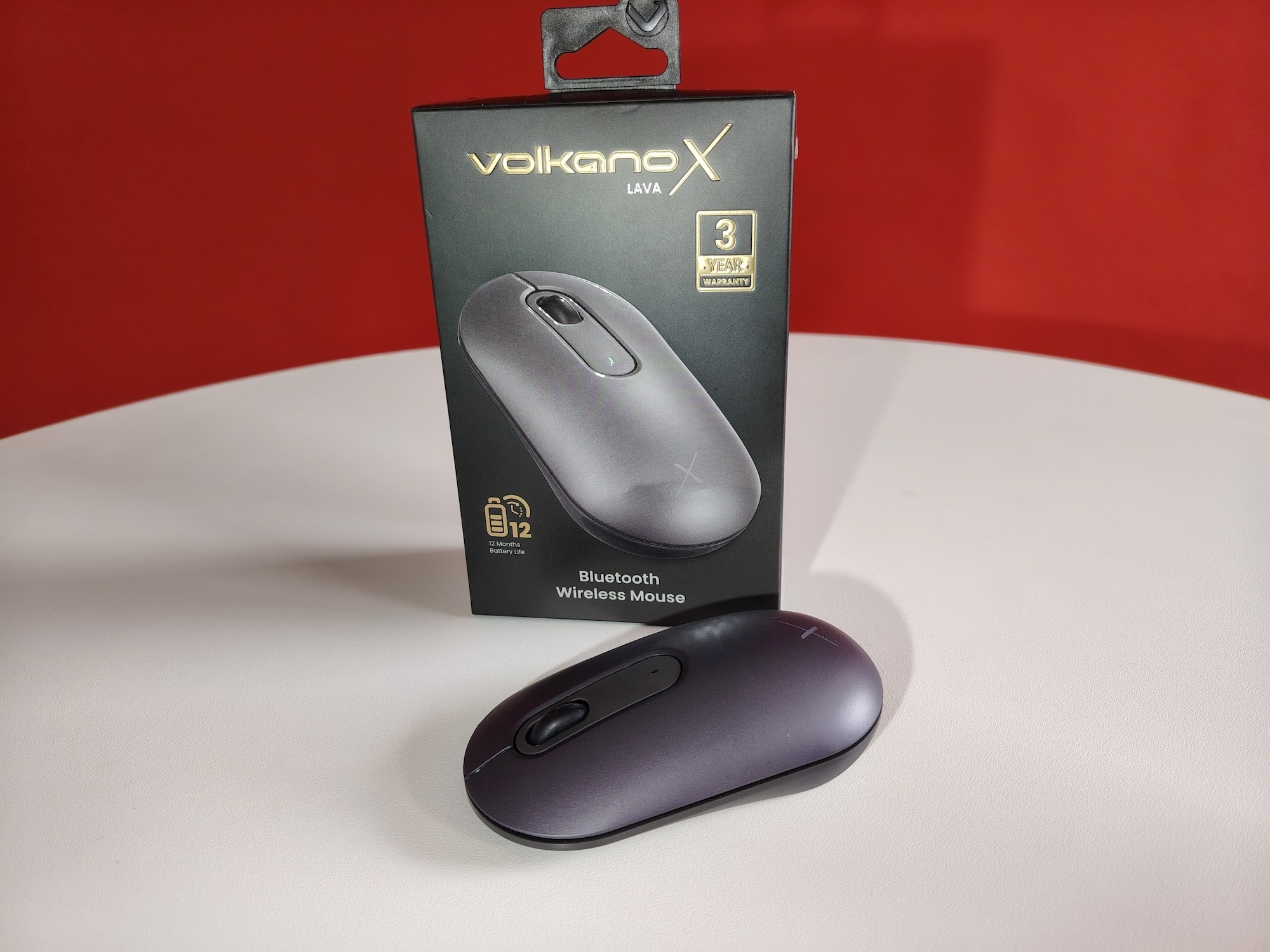
Volkano X’s Lava Bluetooth mouse lives in the middle ground, though you wouldn’t think so by handling it. Weighing 55 grams to the Magma’s 83 grams, it’s meant to be tucked into a laptop bag where you can retrieve it when needed. Like Volkano’s extremely budget pointer, it features an ambidextrous design (not enough decent mice do this), making it comfortable whether you’re a lefty or righty.
You’d think that, being smaller, the Volkano Lava would feel more breakable. You’d be incorrect. The whole unit’s compactness works in its favour, and this one would take a hard stomp (preferably with boots on — the traditional method of killing mice) to send it to its happy hunting ground. But there are a few foibles to match that R280 price tag.
Performance is similar, with Bluetooth and 2.4GHz wireless, facilitated by a dongle and a less complicated switching system, but swapping between the 1000, 2000, 3000, or 4000 DPI settings takes some figuring out. Pressing the screen wheel and right-click for three seconds will do it. Similarly, it’s not immediately clear where to put the included frikking battery. The top surface is magnetically attached, with the dongle and battery reservoir concealed inside.
As a lightweight ultraportable, the Volkano X Lava is… actually, it’s a pretty decent option, particularly given the price.
Crater
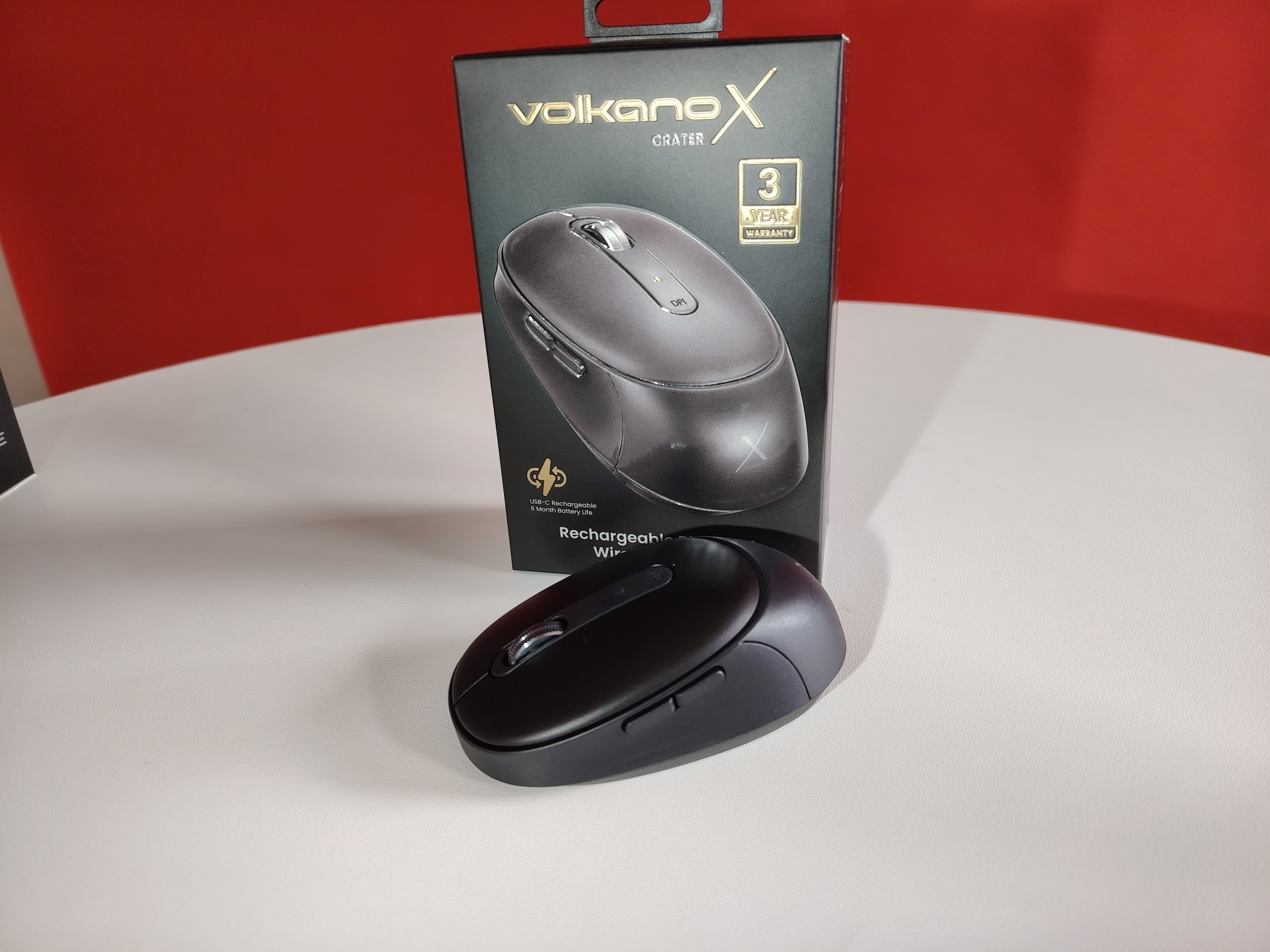
At R350, the Volkano X Crater (who the hell gave this one that title?) is the priciest option, but it’s also the best if you’re even vaguely serious about playing games. The design remains largely ambidextrous, but the two extra buttons on the left edge aren’t going to work for lefties unless they’ve got very educated ring fingers. In the box is something other than a battery — a USB-C to USB-A cable for charging the Crater. Inside the underside compartment, which is magnetically closed, is a USB-A to USB-C adaptor, in case you find yourself in a C-to-C charging situation. It’s a neat touch.
Battery life is shorter at only six months, but you won’t be buying AA replacements, so who cares? The Crater shares the DPI settings of the Lava, but they’re easier to get to. A switch under your palm will let you swap without flipping the mouse or using button combinations. The heaviest of the lot, something you can attribute to the 500mAh battery, it’s also the most satisfying to use.
2.4GHz wireless, and up to two Bluetooth connections may be toggled between, but you’ll have to flip the mouse to access those. At least the charge port lives on the front of the mouse (take notes, Apple), so you can play and charge if need be. As the trio goes, this is the best put-together and feature-rich of the lot. It’s also, by far, the hardest to kill, something we always look for in a human interface device.
Volkano X’s best budget buy?
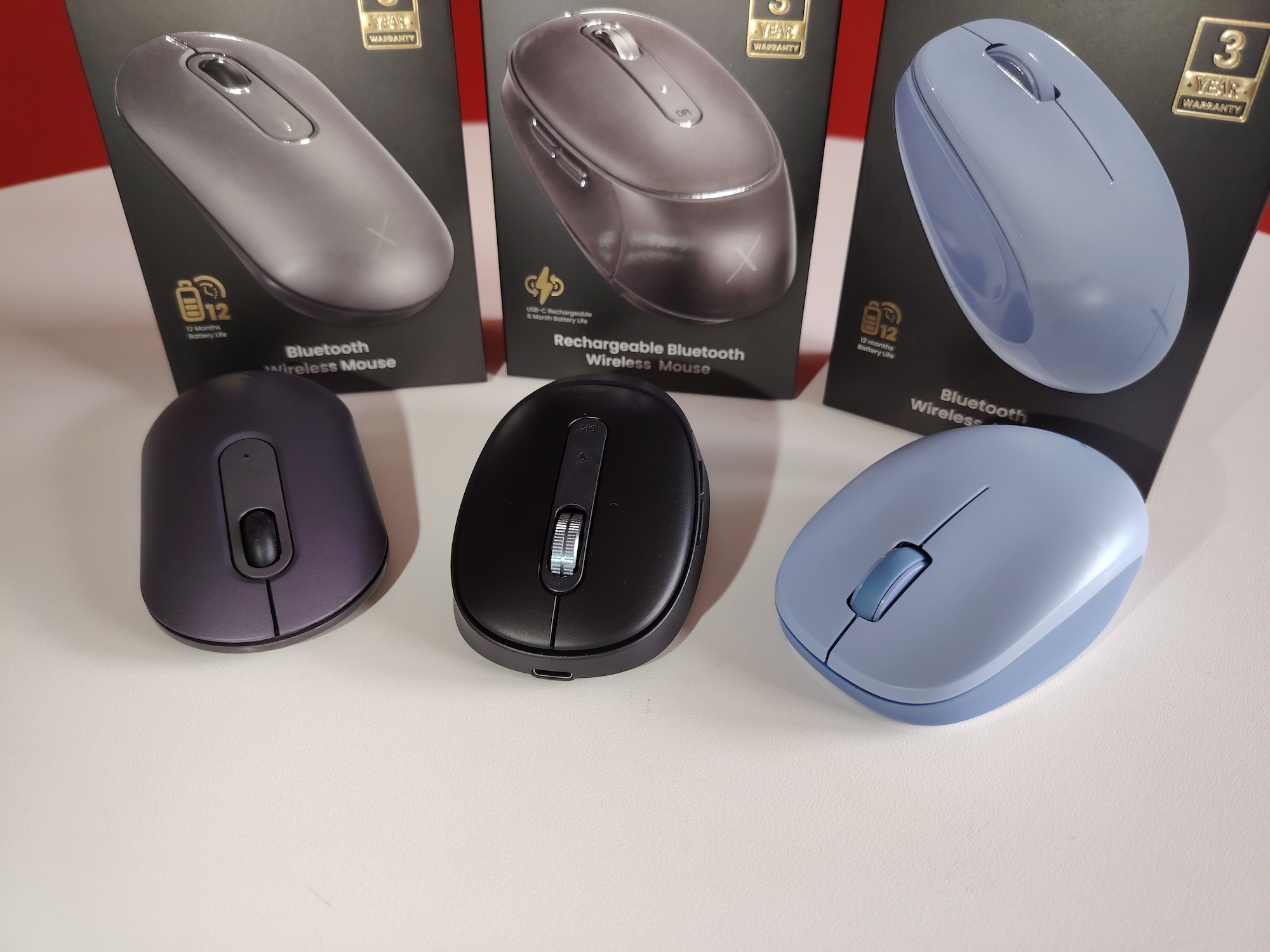
If we were going to pick a single mouse from this lineup, it would be the Volkano X Crater. Despite having the least impressive moniker, it’s easily the better purchase. You’ll spend less time and money on keeping this one going, and, frankly, it’s easier to use. That said, the Lava is easily recommended if you’re just looking for something to stuff into a laptop bag. Spreadsheets in coffee shops aren’t too demanding about DPI settings anyway, right? The Magma is a decent choice if you’re on a budget, and it’s also a handy backup in case your relationship with your pricier mouse turns sour. Or if you accidentally squished it. It happens. Don’t feel too bad about it.