
It’s been so long since we last heard about WhatsApp’s username ambitions that we were beginning to believe it had been scrapped. Fortunately, usernames have actually turned up for a limited number of users, meaning an official rollout can’t be too far behind. Here’s hoping they don’t run out and claim all the best usernames early.
With usernames now tied to WhatsApp accounts, users can do away with dishing out their phone number to just anyone. WABetaInfo was the first to report on the addition, which was spotted yesterday. It reckons the rollout has taken so long — upwards of three years — because WhatsApp wants to ensure that the rollout is stable from the word go. That means adjusting the code bit by bit to make sure every feature is compatible with usernames.
Patiently waiting
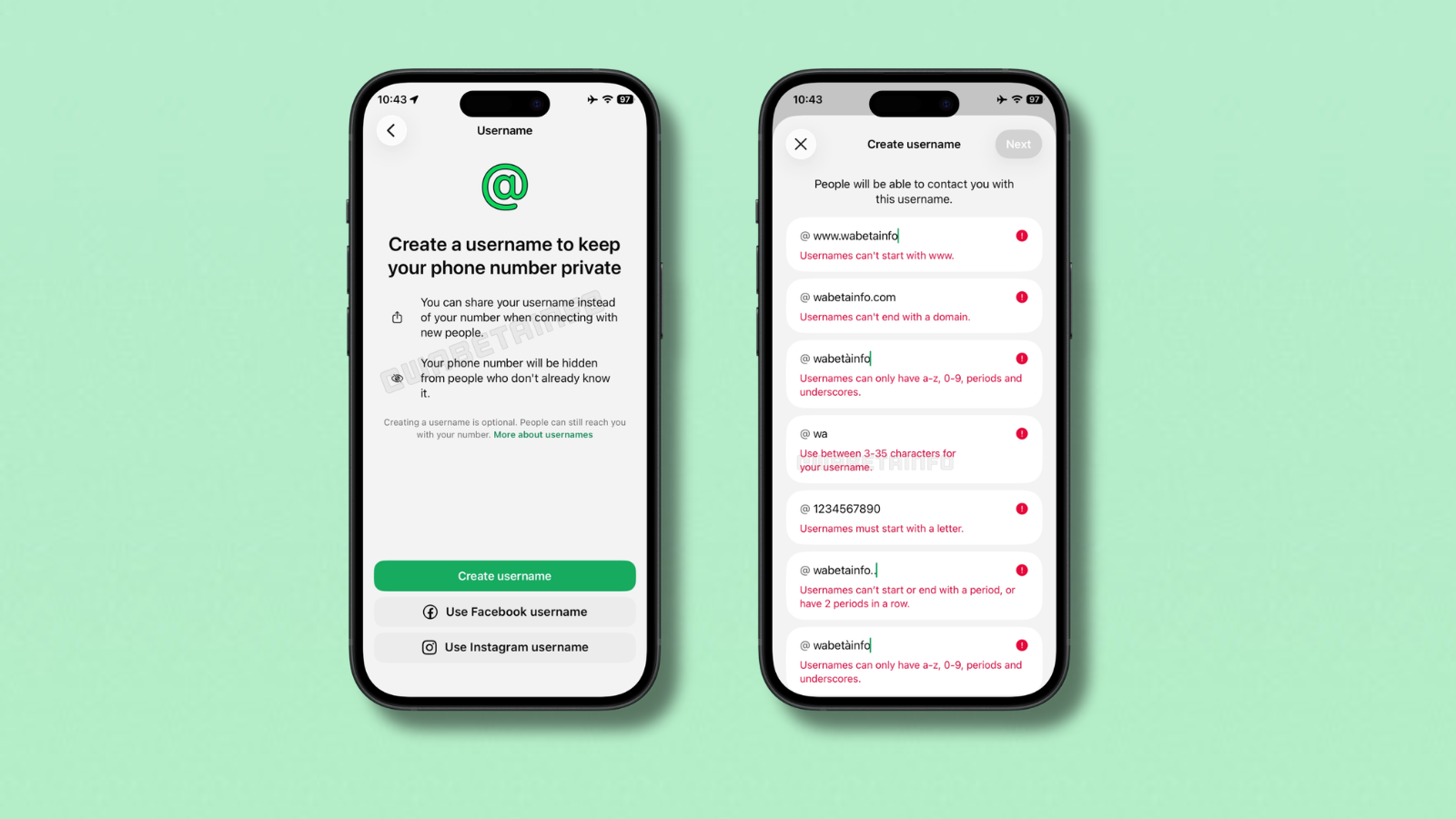
Even being part of WhatsApp’s exclusive beta system isn’t enough to guarantee access to usernames, it seems. Stuff’s own beta-enabled Android device wasn’t privy to the feature as of this morning. To find out if you’re one of the lucky few, visit Settings and locate the dedicated Username option. Tap it to get started.
There are a couple of rules users need to follow before selecting a username. First, usernames cannot start with “www.” nor end with any sort of domain name (i.e. ‘.com’ or ‘.net’). Seems fair. Next, a chosen username (3-35 characters) must also contain at least one letter, to avoid bots filling out the list with only symbols and numbers. Chosen characters can only include lowercase letters, numbers, periods, and underscores.
Read More: WhatsApp’s real-time noise cancellation aims to make calls more bearable
More important is the availability of a user’s chosen username. Usernames currently in use across Facebook or Instagram cannot be chosen here, unless the user can prove they own those accounts as well. Completing this verification will require the user to link their WhatsApp account to Meta’s larger Accounts Center.
As an added measure of security, the feature is launching alongside ‘ username keys’. These are entirely optional, and make it impossible for any rando to search up your username and begin chatting at any moment. Whilst setting up a username, users can set a four-digit code that others will need when adding contacts. The user must share this key with anyone they hope to begin chatting with.