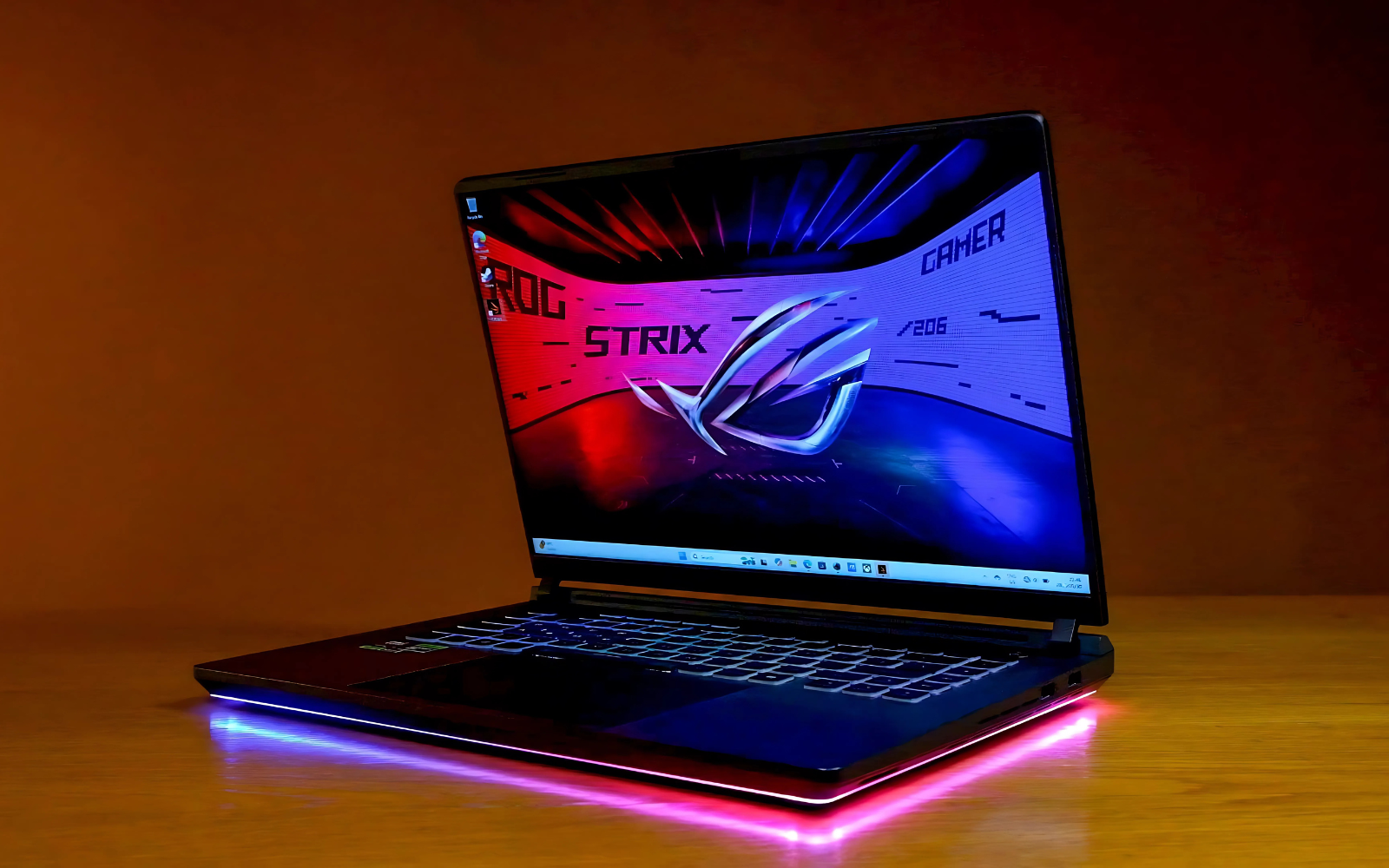
Like it's bigger 18in Scar cousin, the ROG Strix G16 is largely similar to its predecessors. Sure, it's had a redesign but we don't think that will matter to most folks. If you're eyeing this machine, you already know what you want and chances are high you won't be disappointed... as long as you have the money to spare. All this performance doesn't come cheap.
-
Design
-
Display
-
Performance
-
Features
-
Value
The Asus ROG Strix G16 is the most recent refreshed gaming laptop from the brand we’ve had on our desk to review. It has a lot in common with the larger, more expensive ROG Strix Scar 18. Both have received CPU and GPU upgrades and a few design tweaks. And while the most powerful hardware is reserved for the bigger device, the smaller Strix G16 still packs a decent performance punch. It is also cheaper, depending on the model.
Our review unit was one of the more powerful configs, with an Intel Core Ultra 9 275HX CPU, an Nvidia RTX 5080 16GB mobile GPU, 64GB of DDR5 RAM, and a 2TB PCIe Gen 4 NVMe M.2 SSD. It’s so powerful, in fact, that you might struggle to find this exact model in South Africa. Apparently, a lot of gamers were eager to get their hands on one.
This model was the closest we could find locally. It has half the RAM, but the rest of the specs are the same. Still, you should take our performance figures with some salt, but they shouldn’t be too far from what you can expect with less RAM.
Lights, Camera, Gaming
Starting with the most important feature for gamers, RGB. The ROG Strix G16 features the same full-surround aura ring around its base as we first saw on the Scar 18. You also get per-key RGB on the keyboard.
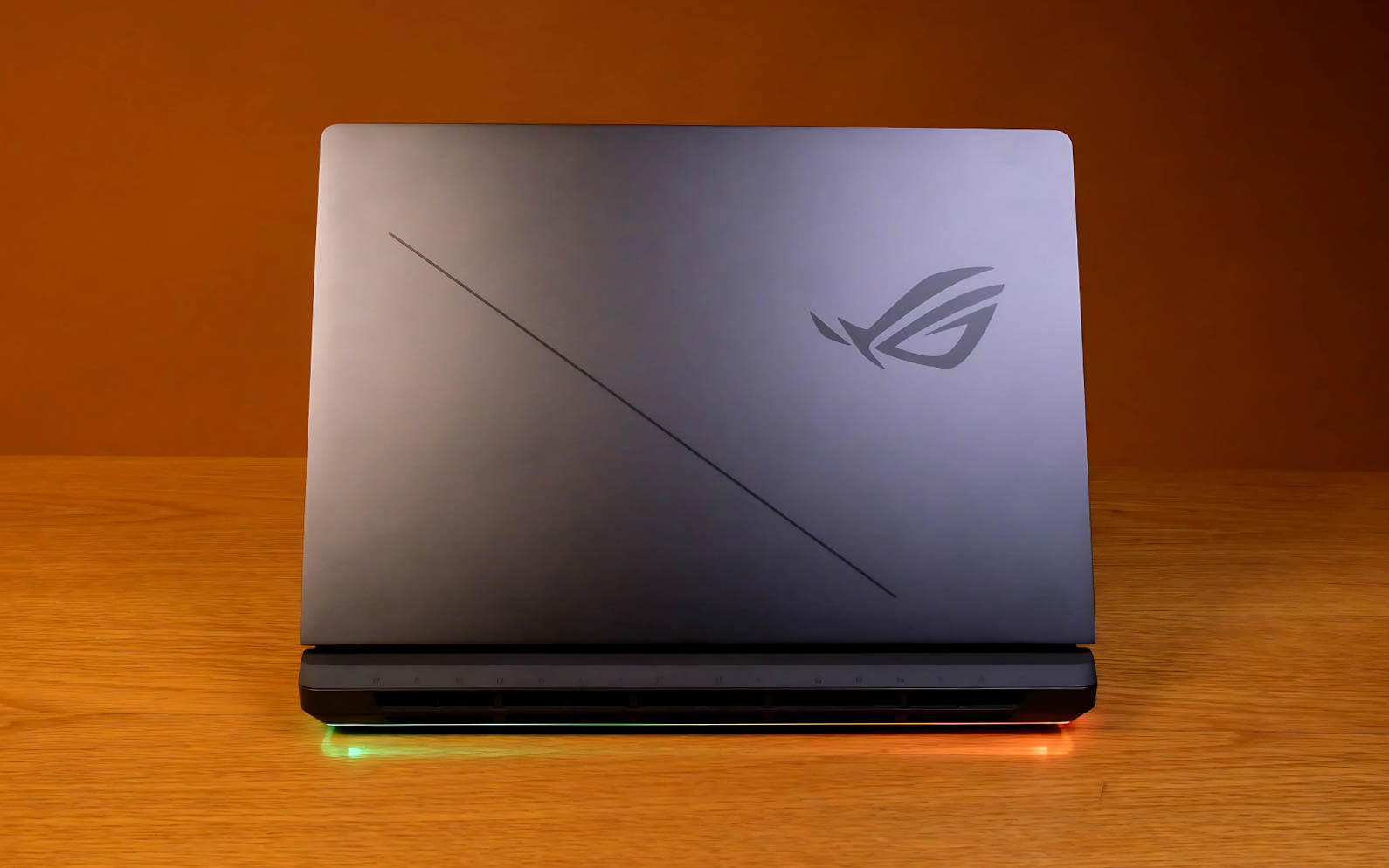
Asus says the Strix G16 has been “redesigned from the ground up”, but that’s what you pay marketing people for. It does feature a more streamlined design with chamfered edges, and we enjoyed not having to constantly wipe dust and fingerprints from the grey plastic chassis.
Other mainstay gaming laptop features are present, like a decent numpad-less keyboard, large trackpad, and a Windows Hello-enabled webcam, although we didn’t care for the transparent ‘gaming’ keys on display.
Another shoutout to the tool-less bottom tray design. We reckon people seriously considering buying a laptop like this are going to hang onto it for at least a few years. Being able to easily upgrade some of the internals will be appreciated.
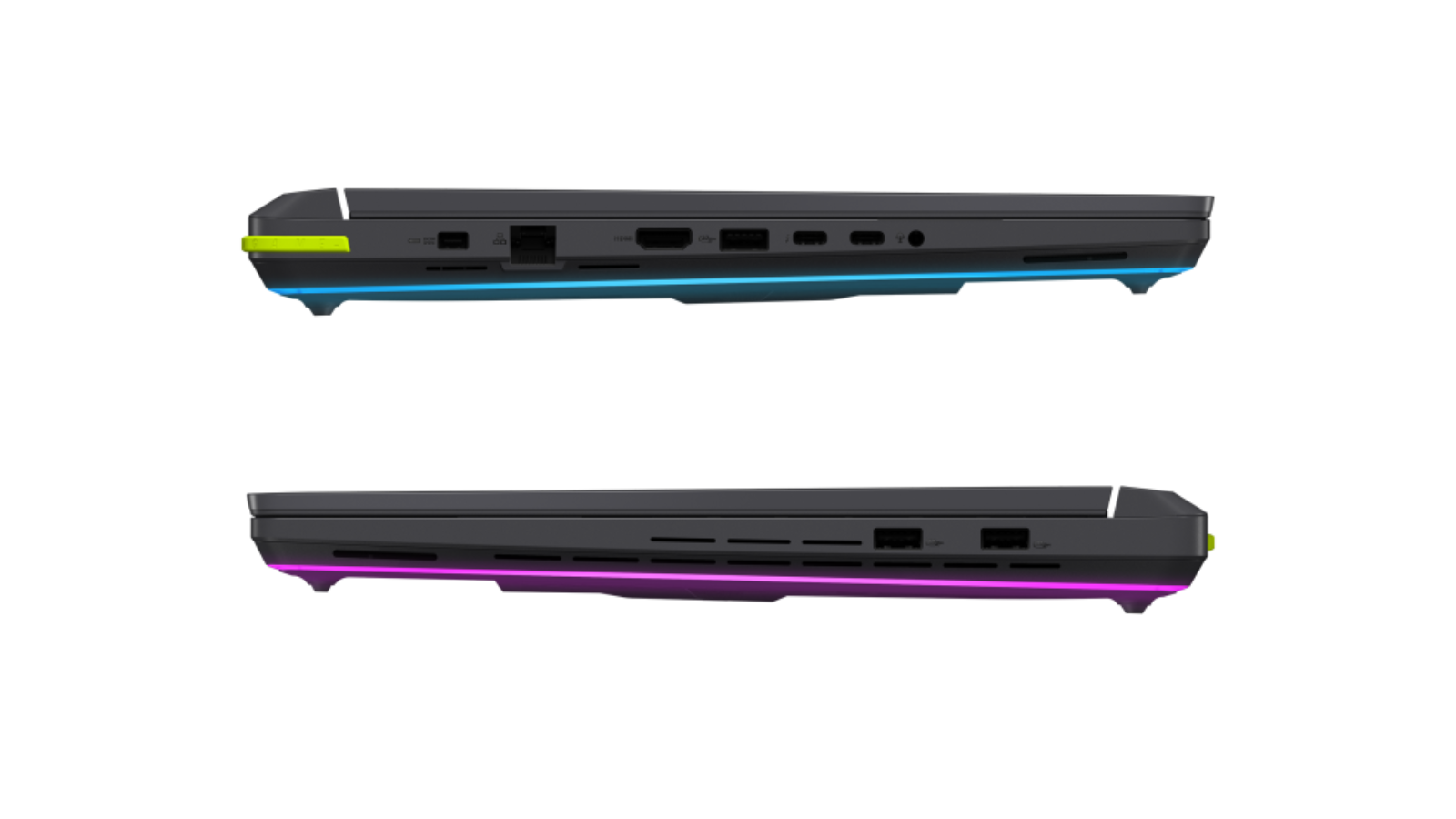 You won’t be starved for I/O real estate – there are two high-speed Thunderbolt 5 USB-C ports, three USB-A 3.2 Gen 2 ports, one HDMI 2.1 port, one 2.5Gb Ethernet port, and a 3.5mm audio combo jack. The 380W power adapter also gets its own proprietary port.
Mediocrity on display
The biggest let-down of the ROG Strix G16 isn’t even that big. The 16in 2,560 x 1,600 240Hz display our unit came with still boasts a claimed 500 nits of peak brightness, 3ms response time, and full coverage of the DCI-P3 colour gamut. This year’s Strix G16 comes with two layers of anti-glare coating (that’s what the ‘ACR’ branding means), is factory calibrated, Pantone validated, and supports Nvidia G-Sync and Dolby Vision HDR content (on paper, at least).
However, coming from the mini LED display of the Scar 18, it left us feeling a little disappointed. This is still a decent display, but we can’t help but feel a little hard done by, considering what the competition offers at this price or what you could get from other Asus devices. It’s a small gripe that doesn’t matter if you plan on connecting it to an external monitor, but large enough to warrant a mention here.
Power to you
With the latest silicon from Intel and Nvidia inside, we don’t think you’ll have many gripes with performance. The Core Ultra 9 275HX from Intel’s Arrow Lake generation can chug up to 175W for short bursts but is usually content with using 150W. It might not claim the number one spot for performance, but this is still one of the best mobile CPUs available.
Show me the numbers (CPU):
-
Cinebench 24 (Single core) avg – 133
-
Cinebench 24 (Multi-core) avg – 1,981
-
Geekbench 6.4 (Single core) avg – 2,088
-
Geekbench 6.4 (Multi-core) avg – 17,752
While the ROG Strix G16 features the same CPU as the Scar 18, it’s rocking the ever-so-slightly stepped-down RTX 5080 laptop GPU. You get 16GB of dedicated video memory, meaning you can crank those texture settings up a bit if you’re playing at the native 1600p resolution. Any higher, and you could run into trouble.
Like the CPU, it can also gulp down up to 175W of power, and it’s more likely to keep at that level in sustained stress tests. It’s worth noting that during most prolonged stress tests, our review unit had a bad tendency to thermal throttle (reduce performance to keep from overheating) before long.
More numbers (GPU):
-
3DMark Steel Nomad avg – 5,137
-
3DMark Time Spy avg – 20,782
-
PCMark 10 avg – 7,144
The 5080 inside here can’t quite match the Scar 18’s 5090 synthetic benchmark scores, but the difference is less tangible in real-world use cases like gaming. In Cyberpunk 2077 and The Last of Us Part 2 Remastered, we matched the settings we used to test the Scar 18 and saw framerate averages drop by around 10%. If you’re still after more performance, there’s also Nvidia’s Multi Frame Generation technology to eek out even more frames from games that support it.
Keeping the lights on

There’s a 90Wh battery inside the ROG Strix G16, but you shouldn’t expect the ‘all-day endurance’ that its website promises in the truest sense. A full workday, however, might be more accurate. We were pleasantly surprised by the runtimes we got from this gaming laptop.
During our ‘best case’ Wi-Fi streaming battery test, with the screen set to 50% brightness and 60Hz refresh rate, all RGB turned off, and Bluetooth disabled, we saw around eight hours of life on average. We saw a similar figure during our simulated Wi-Fi web browsing test. Being smart with your power consumption might mean you can get by on one charge at the office. We didn’t, because our office setup includes external peripherals, a higher refresh rate, and as much performance as we could get.
If you opt to watch videos stored locally and disable the Wi-Fi, you can expect even more hours of enjoyment, between ten and a half and eleven hours, according to our tests. In a more typical Wi-Fi streaming scenario, where you might increase the brightness to its maximum and use Bluetooth headphones, we saw around six and a half hours. Under a full load, it could only manage an hour and a half, despite the ‘Turbo’ mode being disabled.
Asus ROG Strix G16 verdict
The ROG Strix G16 has a lot to offer, as it should for the asking price. It might be notably cheaper than its bigger brother, but its starting price of R50,000 is still a lot of money. If you want the high-end specs, that price will climb to R78,000.
But it shouldn’t be a surprise that a high-end gaming laptop like this costs a lot of money. It houses some of the most performant chips on the market, a decent (if not the best you can get) high-refresh-rate IPS display, and features many quality-of-life features (like the toolless bottom tray) that help to justify its price. Whether it’s ‘worth it’ is relative, but it’s at least something to consider.